28
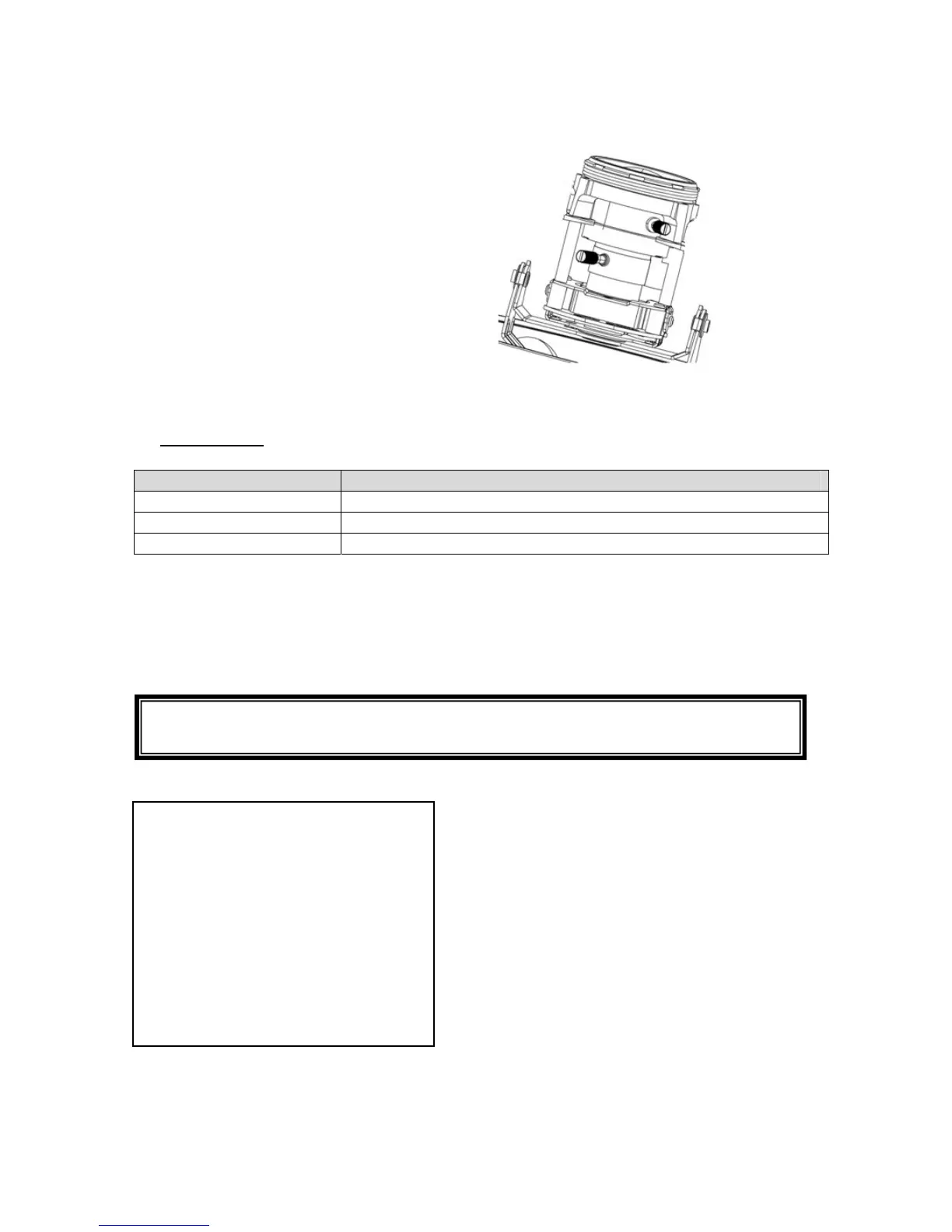
6.7 Adjusting the focus and zoom
One adjustment screw for the zoom and one for
the focus are located on the bottom of the
variofocal lens. These screws are also used for
fixing the lens.
Turn the screws carefully anti-clockwise to
loosen them. Make the required settings, then
fasten both screws again.
7. OSD Menu
Function Description
QUICK INSTALL Quick setup of the most important camera parameters
ADVANCED MENU Detailed explanation of all camera parameters
EXIT Exit menu
QUICK INSTALL
The “QUICK INSTALL” function has been implemented for simple configuration of the
camera. This function navigates you through the most important menu items in order to
adjust the camera to the respective lighting conditions quickly.
MAIN MENU
QUICK INSTALL
ADVANCED MENU
EXIT
The “QUICK INSTALL” menu contains the following steps:
If the preferred settings do not result in optimal image performance, you can
perform “QUICK INSTALL” again at any time and adjust the settings.


 To Next Page