12.3.2.4 WLAN
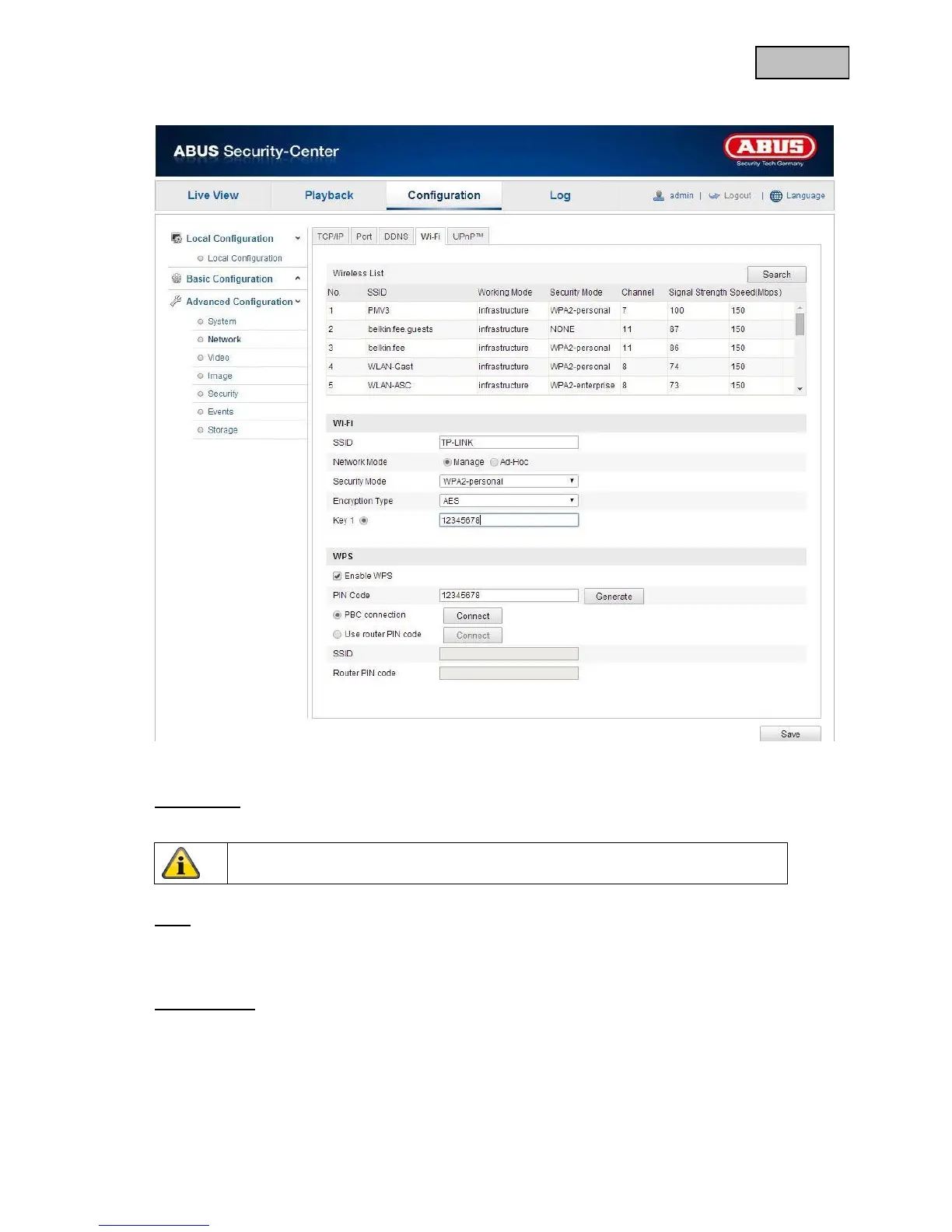
To establish a Wi-Fi connection between the camera and the router, you must make the following settings.
Wireless list
Click “Find” to see the Wi-Fi networks that are available in the immediate area.
Wi-Fi
SSID
Enter the name of the network here.
Network mode
You can choose either Manage or Ad-hoc.
Manage
Select this item for a connection to a network.
Ad-hoc
Select this item for a direct connection to a PC or laptop.


 To Next Page
 Loading...











