Accessing the network camera via DDNS
If the network camera is located behind a router, access via DynDNS must be configured in the router.
On the ABUS Security-Center homepage www.abus-sc.com
, you can find a description of the
DynDNS router configuration for common router models.
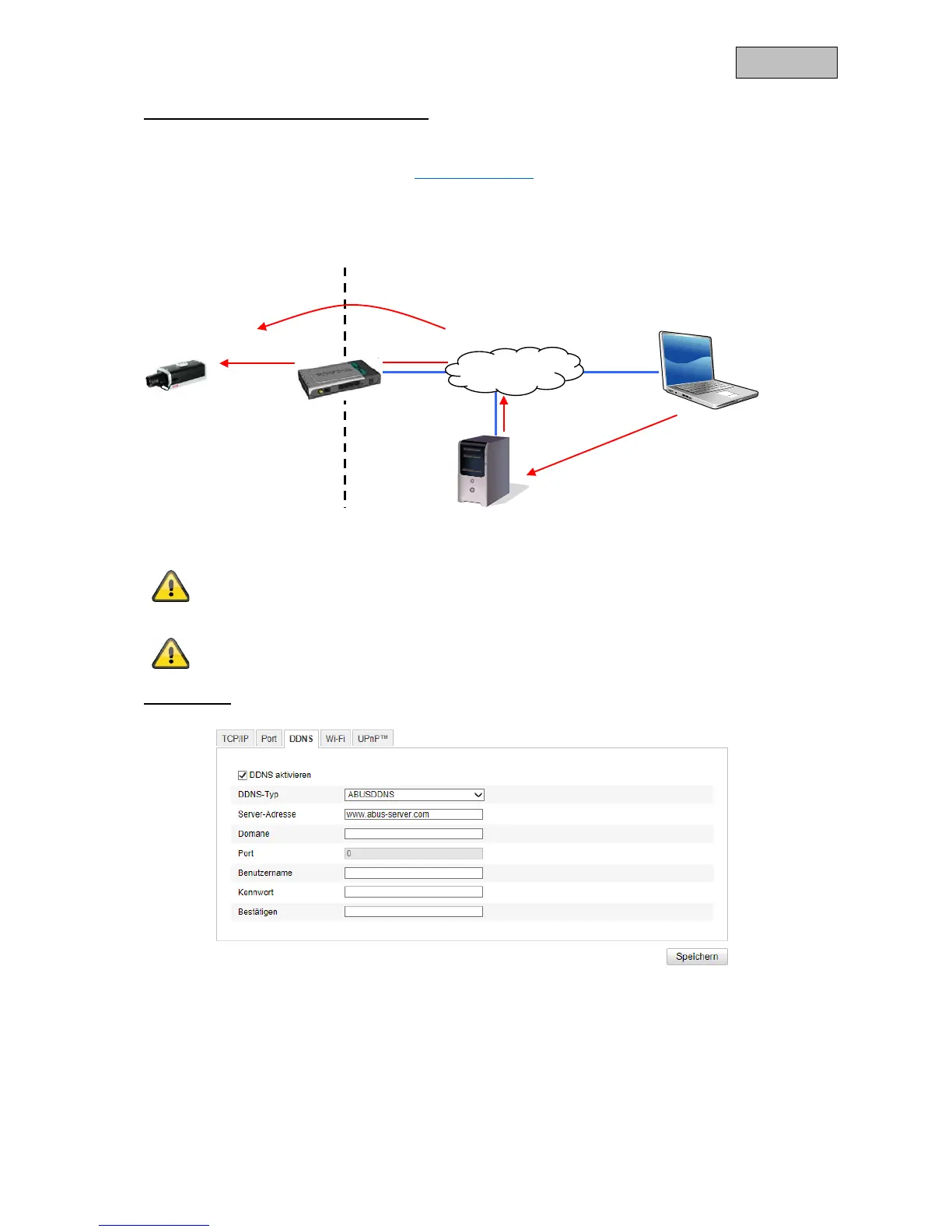
The following diagram offers an overview of accessing a network camera behind a router via
DynDNS.org.
Apply the settings by clicking "Save". If the network configuration is changed, the
camera must be rebooted (System/Maintenance/Reboot).
ABUS DDNS
1. To be able to use the ABUS DDNS function, you first need to set up an account at www.abus-
server.com. Please read the FAQs on this topic on the website.
2. Select the "Enable DDNS" checkbox and select "ABUS DDNS" as the DDNS type.
3. Apply the data with "Save". The IP address of your internet connection is now updated on the
server every minute.
Port forwarding of all relevant ports (at least RTSP + HTTP) must be set up in the router
in order to use DynDNS access via the router.
http://name dyndns org:1026
name dyndns org:1026 195 184 21 78:1026



 To Next Page