EasyManua.ls Logo

Abus TVIP41560 - 2 Camera Description; Tvip41560

Abus TVIP41560
68 pages
Print Icon
To Next Page IconTo Next Page
To Previous Page IconTo Previous Page
Loading...
English
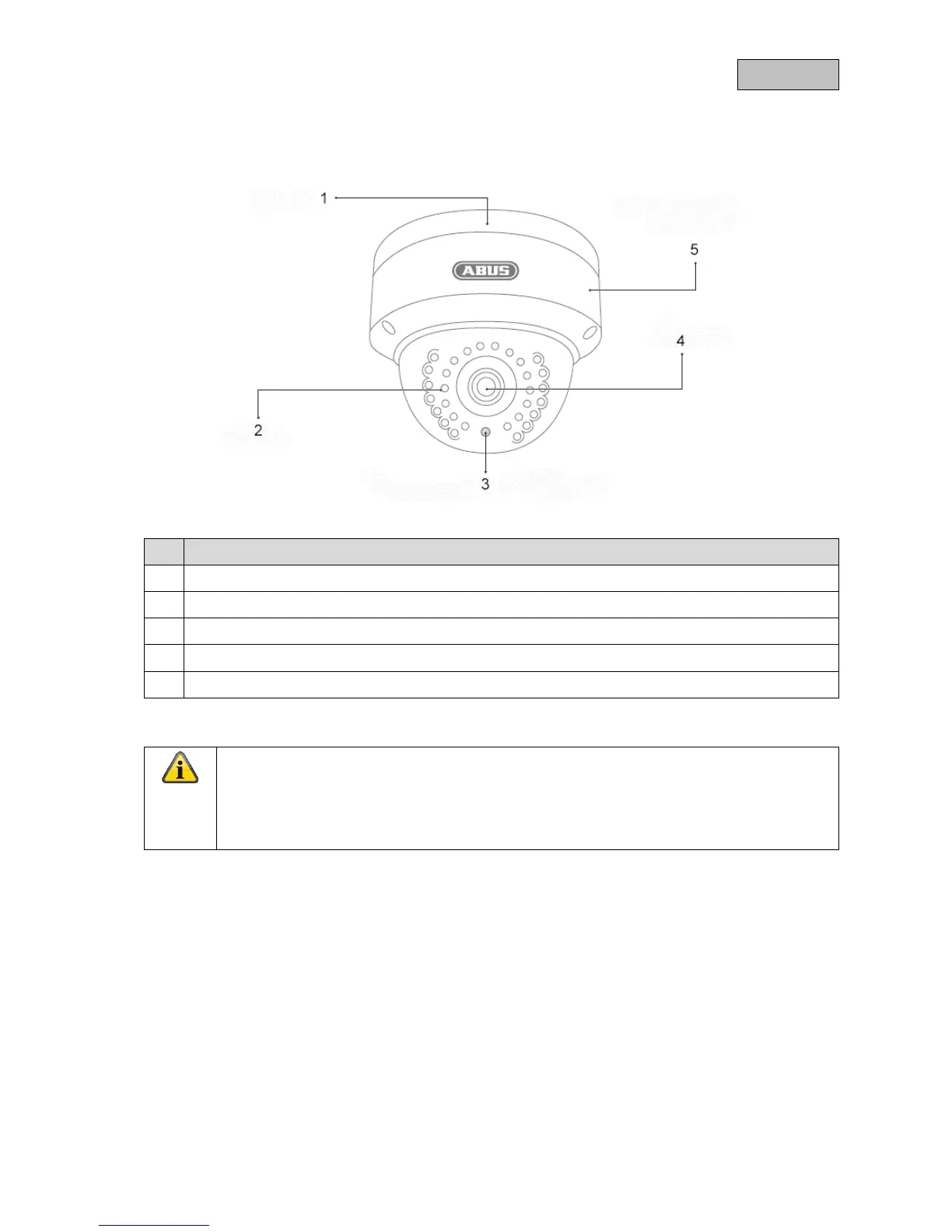
2. Camera description
2.1. TVIP41560
No. Description
Base plate
IR LEDs
Photo sensor for day/night switching
Lens
WPS/reset button & microSD card slot inside
Reset: (applies to TVIP41560 and TVIP61560)
To reset the camera to its factory settings, first disconnect the power supply. Keep the
WPS/reset button pressed and reconnect the power supply to the camera. Continue pressing
the WPS/reset button for another 15 seconds, then release.
80


Other manuals for Abus TVIP41560

Related product manuals