69
Function Description/option
Zoom setting WIDE – Wide angle of view, 0x zoom (max.)
TELE – Narrow angle of view, 3.3x zoom (max.)
Focus setting FAR – Far focus
NEAR – Near focus
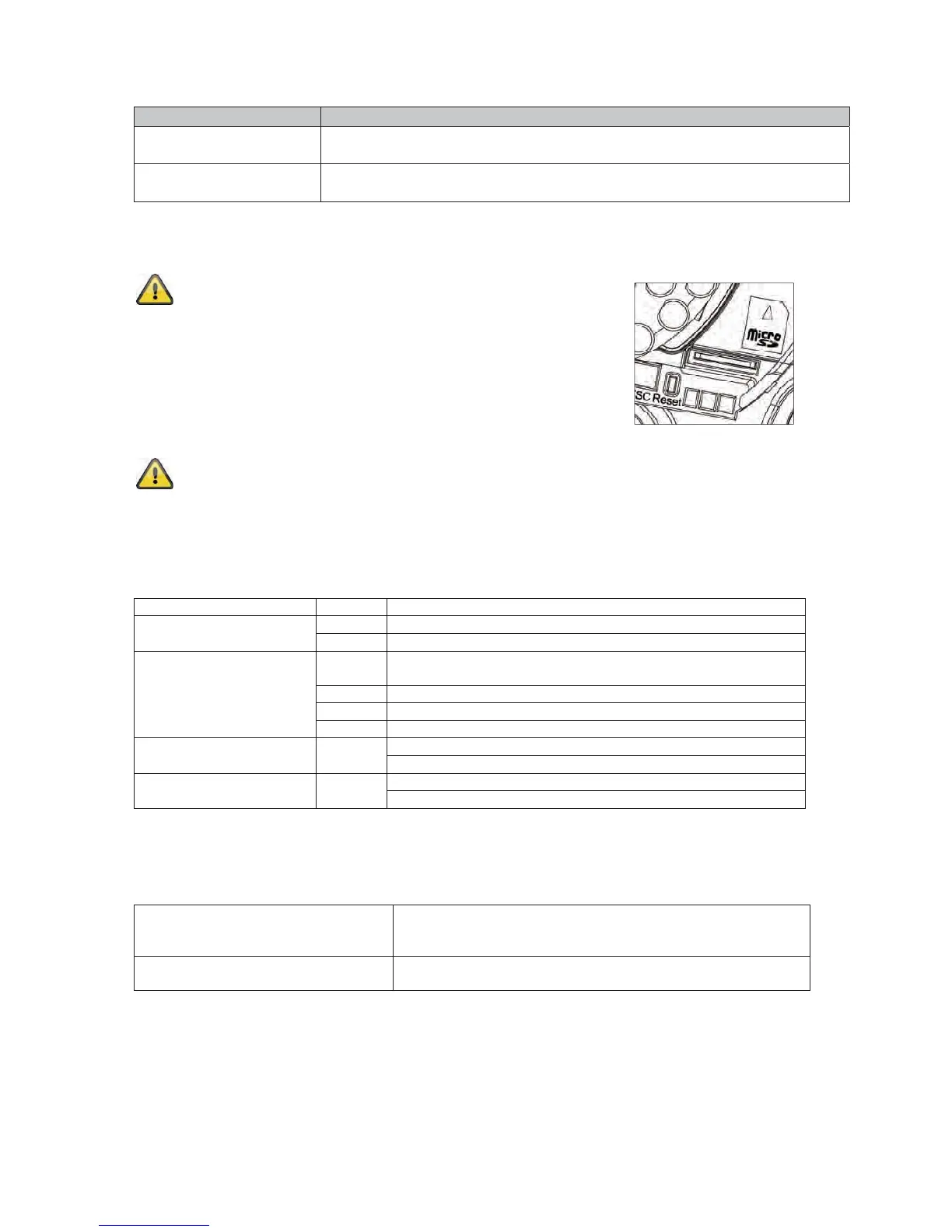
4.6 Using the microSD slot
Disconnect the power supply before inserting the microSD
card.
The microSD card can only be inserted into the socket in a specific
position. The card protrudes out of the slot by about 4 mm when
positioned correctly.
The card is detected by the camera when the power supply is
reconnected, and can then be used as desired.
The microSD card cannot be replaced when the system is in
operation!
4.7 Status displays
LED Colour Meaning
Network Green Constantly green when network connection is active
Orange Flashes when network activity is detected (data traffic active)
Power supply Red Constantly red during camera start-up; active for 30 seconds
when WPS is active
Blue Constantly blue after successful camera start-up
Violet Flashes during WPS configuration or firmware update
Off When reset button is pressed
W-LAN Green Constantly green when W-LAN connection is active
Flashes when data traffic via W-LAN is active
SD card Orange Constantly lit when SD card is available
Flashes during the write process
4.8 Restoring the factory settings
Camera restart Press the button until the blue LED goes out -> constantly red
during camera restart -> constantly blue after successful
camera restart
Restoring the factory settings Press the button until the LED lights up blue constantly ->
constantly blue after successful camera restart



 To Next Page