67
4. Camera description
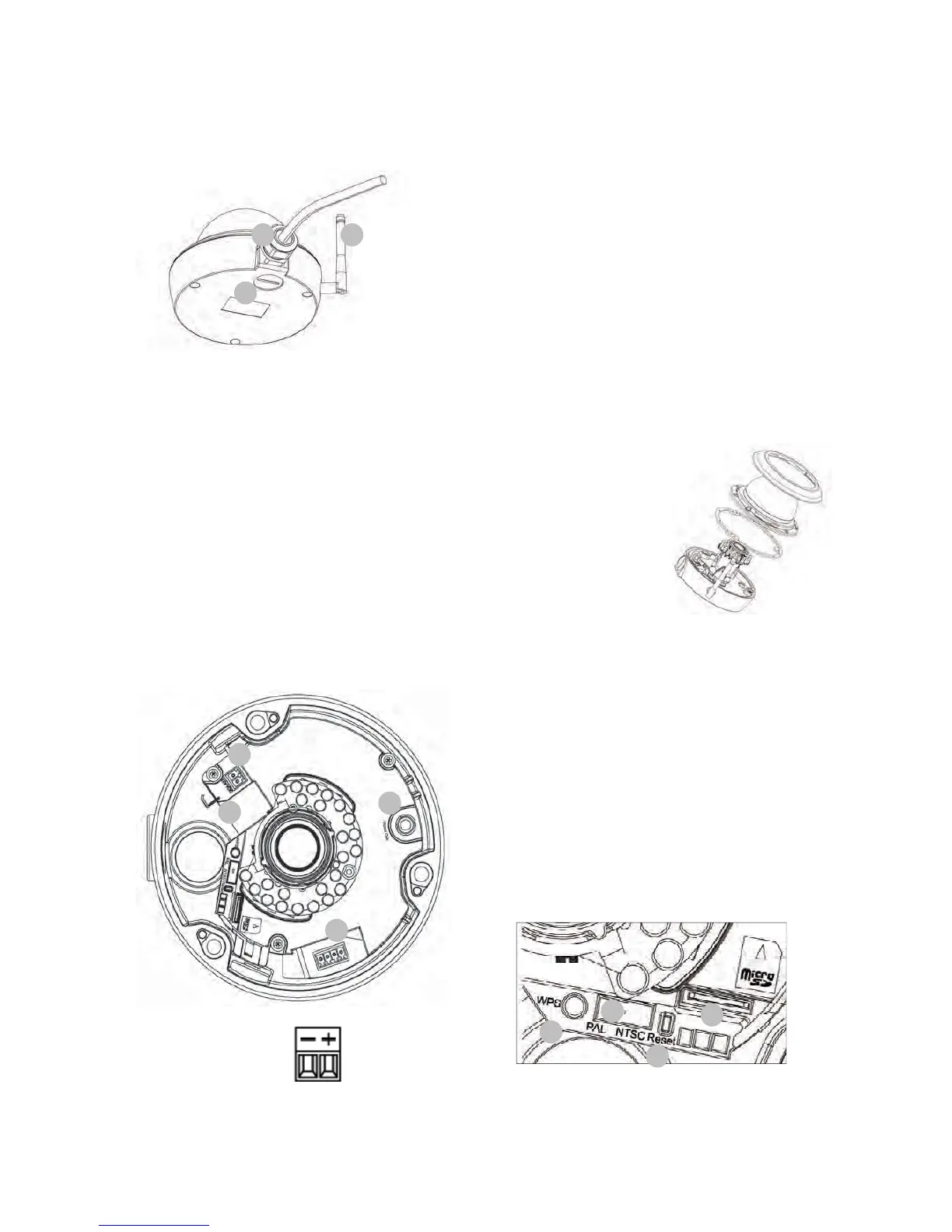
4.1 Exterior view
1 – Cable feed (at side)
2 – Cable feed (hidden in base plate)
3 – Antenna (TVIP71551 only)
4.2 Opening the camera
The camera must be opened to set the angle of view and access the
connections inside the camera. Firstly, remove the white dome ring by
turning it anti-clockwise. The dome can then be detached after removing
the three fastening screws.
4.3 Interior view
Power supply, polarity
4 – Network connection (Ethernet), RJ45
5 – Power supply, 12 VDC
6 – Analogue video output for service purposes
7 – Alarm input / alarm output
8 – WPS button (for activating the
WPS function)
9 – PAL/NTSC switch for analogue video
output (4)
10 – Reset button
11 – microSD slot
1 3
2
7
6
5
4
10
11
9
8



 To Next Page