3736
English
English
11
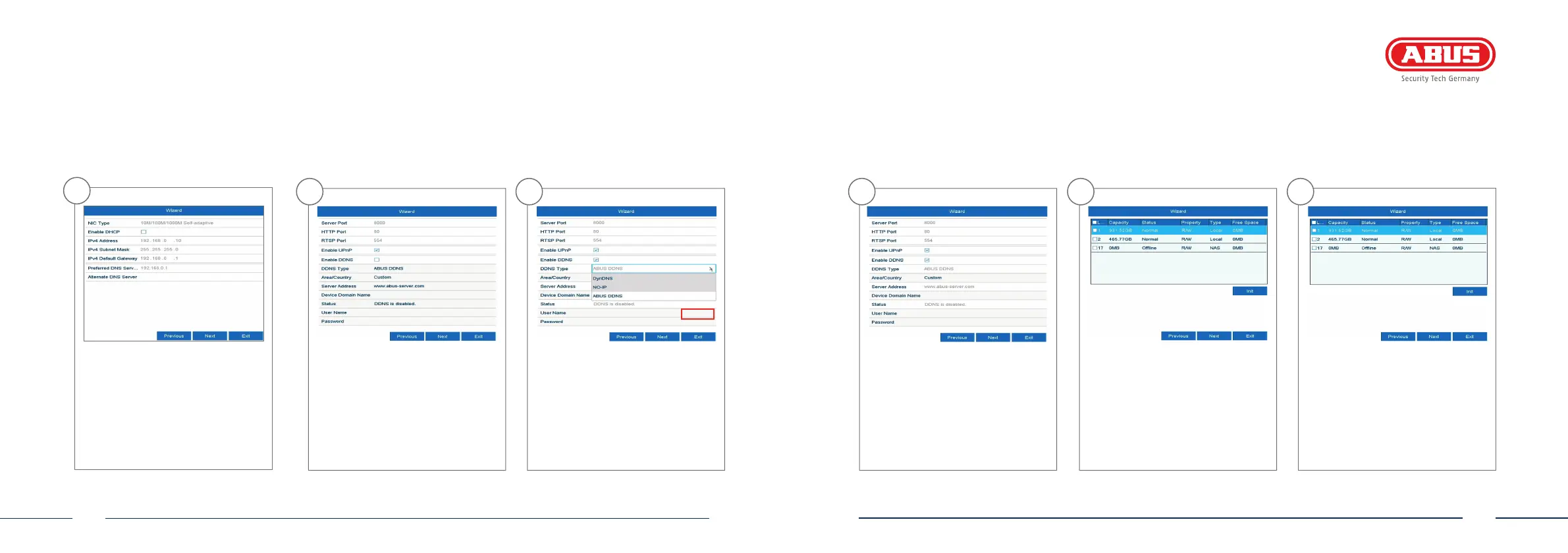
You can manage and, if necessary,
edit your ports here. We recommend
that the default values are maintai-
ned.
12
If you wish to set up remote access,
tick the “Enable DDNS” checkbox.
Then select your DDNS type using the
entry eld.
10
The DNS server “translates” an internet
address into an IP address. Enter the
value of the default gateway under
“Preferred DNS server”.
13
Next, save the server address and the
Device Domain Name, user name and
password. Go to the next screen with
“Next”.
14
Following installation, the hard
disk drive must be initialised before
use. Select the hard disk drive to be
initialised.
15
Click on “Init” and con rm the
successful initialisation by clicking
on “OK”. Go to the next screen with
“Next”.



 To Next Page