12
PROGRAMMING
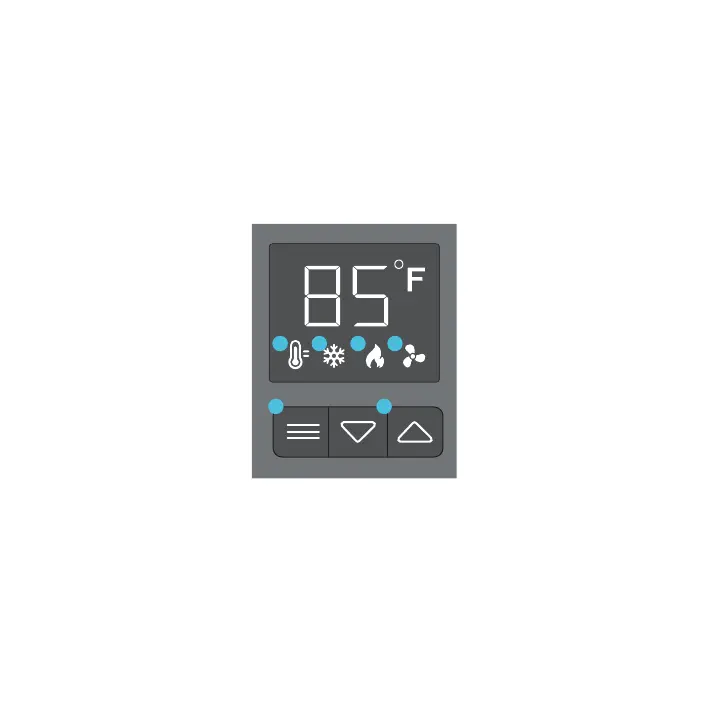
1. MODE BUTTON
Cycles through the unit’s
modes: temperature display,
cooling trigger, heat trigger,
and fan speed.
4. COOLING TRIGGER
Allows you to set a temper-
ature trigger for the fans to
run when your air conditioner
system is on.
5. HEATING TRIGGER
Allows you to set a temper-
ature trigger for the fans
to run when your central
heating system is on.
6. FAN SPEED
Sets the fans' maximum
running speed when the
cooling or heating triggers
are tripped to run.
2. UP / DOWN BUTTON
Changes the temperature
setting in the cooling trigger,
the heating trigger, and the
fan speed.
3. TEMPERATURE DISPLAY
Displays the current temper-
ature that is measured by the
probe. Used as the default
display.
3
4 5
6
1 2




 To Next Page