34
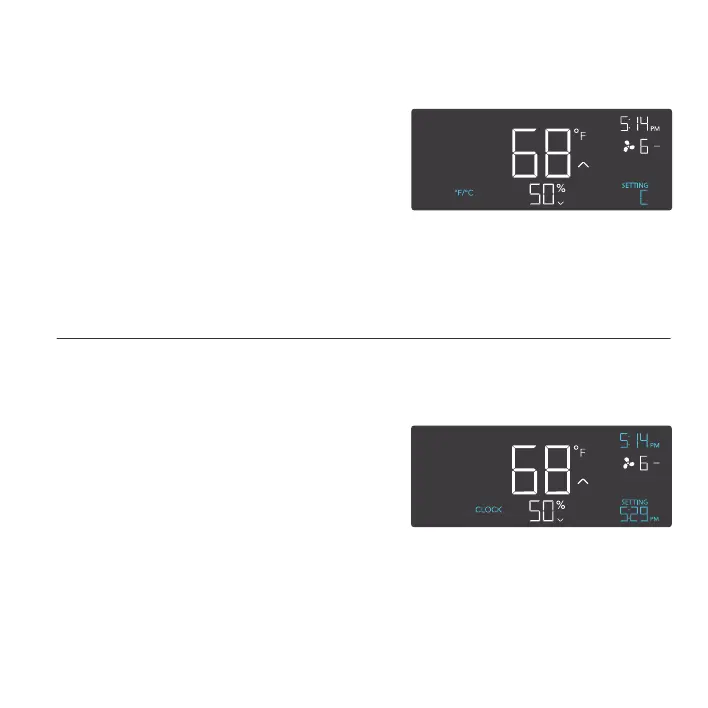
CLOCK SETTING
Adjusts the current clock time. Press the up or
down button to increase or decrease the time.
Once you cycle through 12:00 each time, the
units will automatically change to AM or PM.
The clock time is located at the top right corner
of the display.
PROGRAMMING
°F/°C SETTING
Changes the displayed units to Fahrenheit or Celsius.
Press the up or down button to cycle through F and
C. All displayed units will automatically convert when
adjusting this setting.



 To Next Page