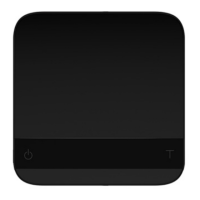
Weighing Mode
Display
There are two different weighing units in Weighing Mode: grams and ounces.
The readability is 0.1g for grams and 0.005oz for ounces.
The LED display shows [ 0.0]. when the weighing unit is in gram.
The LED display shows [ 0.000]. when the weighing unit is in ounce.
Operation
1. Press button for tare (zero) operation.
2. Press and hold button for 1 second to switch the weighing unit in between gram and ounce.
3. Press and hold button for 1 second to switch to Timer Mode.
Timer Mode
Display
For firmware 1.2 to 1.62, The LED display shows [ 00: 00] in Timer Mode.
After firmware 1.72, the Timer Mode is turn off. If you want to use it, please see Chapter 4:
Default Timer Setting for more details.
Operation
1. Press button to start or pause the timer.
2. Press and hold button for 1 second to stop and reset the timer.
3. Press and hold button for 1 second to switch to Timer-Weighing Mode.
Note
1. The maximum time that can be displayed is 999 minutes and 59 seconds.
2. The timer stops when the maximum time is reached.


 To Next Page