Accent 800 User’s Guide: NuVoice 36
Updating the NuVoice Software via a Wi-Fi
®
Connection
Recommendation: Install NuVoice updates as soon as they are available.
To perform this type of update, your device must be connected to a Wi-Fi network.
Note: If you have a dedicated device, a Wi-Fi connection will allow you to update your NuVoice software
via the Internet, but will not provide access to the Internet or an Internet browser.
1. Select the Tools key and then select the Toolbox key.
2. Select Maint Menu and then select Software Update Menu.
3. Select Internet Update and follow the on-screen prompts.
Updating the NuVoice Software via USB Flash Drive
Recommendation: Install NuVoice updates as soon as they are available.
1. Insert your USB flash drive into the computer to which you will download the software update.
2. Go to https://www.prentrom.com/support/accent.
3. Under “Featured Downloads” select Download: USB Flashdrive Software Update.
4. Under “Accent USB Flashdrive Software Update”, click Download.
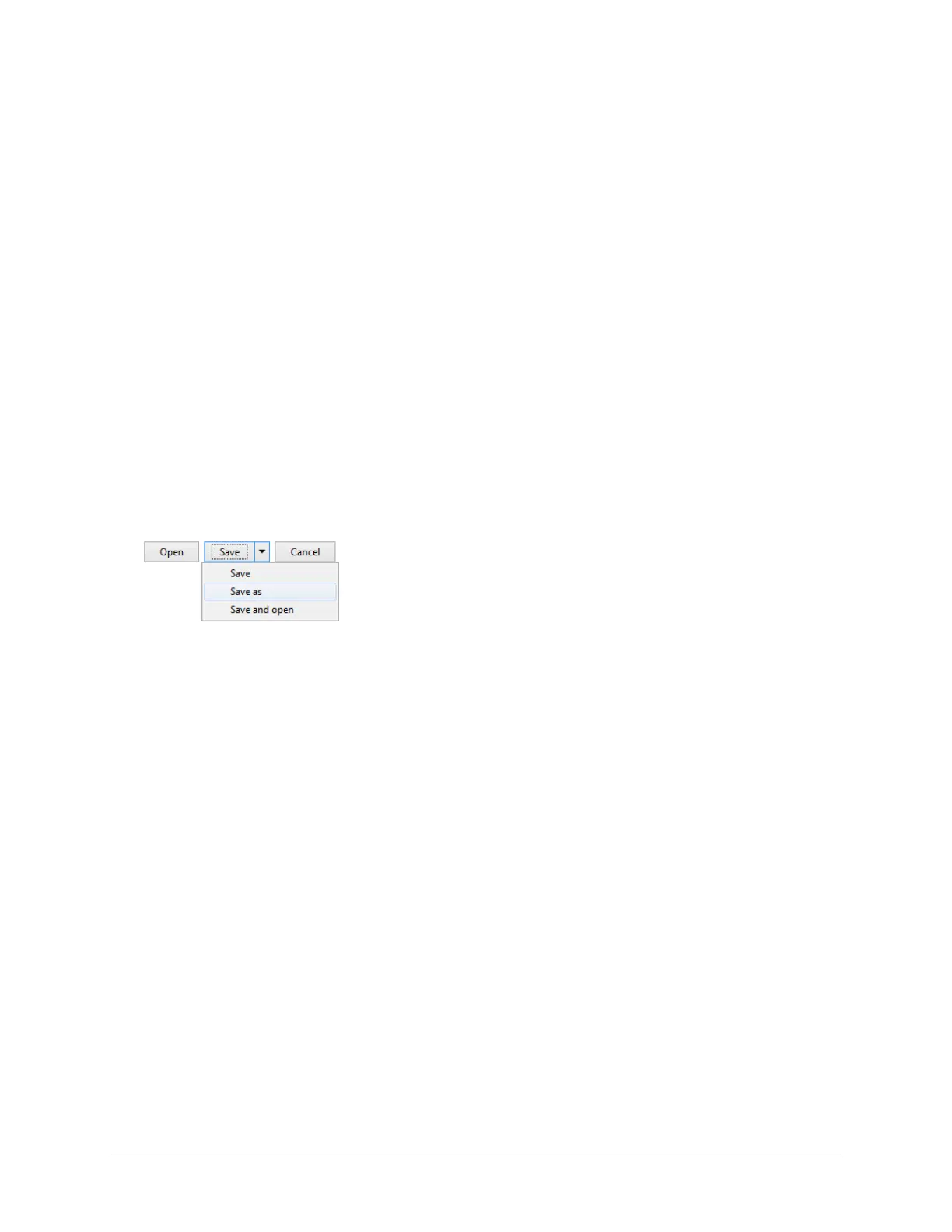
5. At the “Do you want to open or save” prompt, click the arrow to the right of “Save”, select Save As,
and save the file to your computer’s desktop.
6. Turn on your device and plug in the battery charger.
7. Copy the downloaded file from your computer’s desktop to your USB flash drive.
8. Remove the USB flash drive from your computer and insert it into your device.
9. On the device, go to the Toolbox and select Maint Menu.
10. Select Software Update Menu, select USB Update, and follow the on-screen prompts.
11. When the update process is finished, remove the USB flash drive from your device.
Note: Once your device is running the updated software, you can unplug the battery charger.
Finding Additional Information
More specific information on using access methods and vocabularies is available in the manuals and
instructions included with your PRC communication device and accessories.
For detailed information on changing NuVoice settings, refer to the NuVoice Software Manual, available
from https://www.prentrom.com/support/accent
For information on using an Accent 800 device with Empower software, view or download the Accent 800
User’s Guide for Empower from https://www.prentrom.com/support/devices/accent-with-empower.
For warranty information, please visit https://www.prentrom.com.



 To Next Page