24
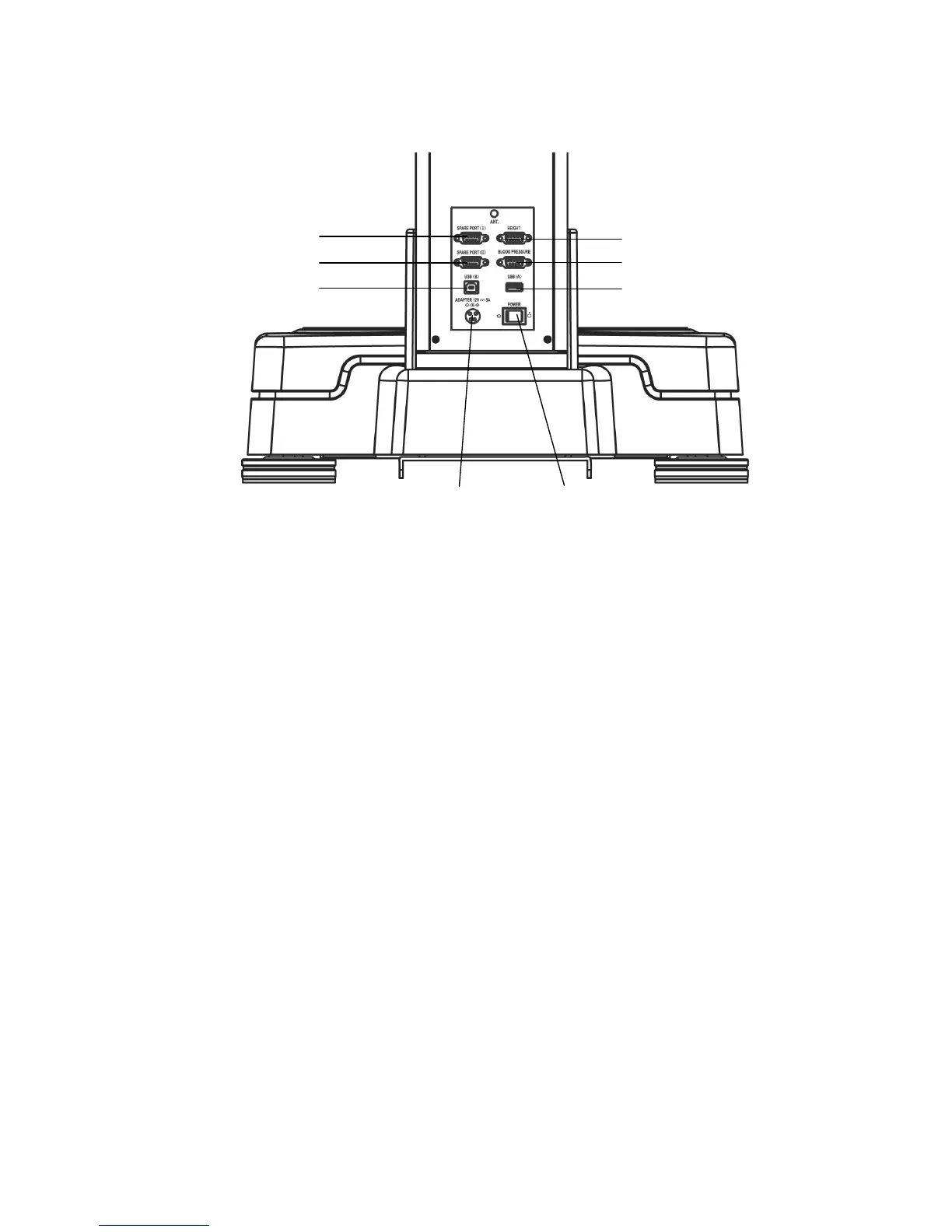
2) Rear Part
▪ Spare port(I): Connecting the peripheral devices(Bluetooth, etc.).
▪ Spare port(II): Connecting the peripheral devices.
▪ Height port: Connecting the height device. (OPTION)
▪ Blood pressure port: Connecting blood pressure monitor (OPTION) by
SELVAS Healthcare, Inc.
▪ USB (A) port: Connecting the printer offered with this device.
▪ USB (B) port: Connecting a computer.
▪ Adapter port (ADAPTER): Connecting the adapter.
▪ Power switch (POWER): It can be used to turn on/off the power.
Blood Pressure port


 To Next Page