23
3. Appearance of the device
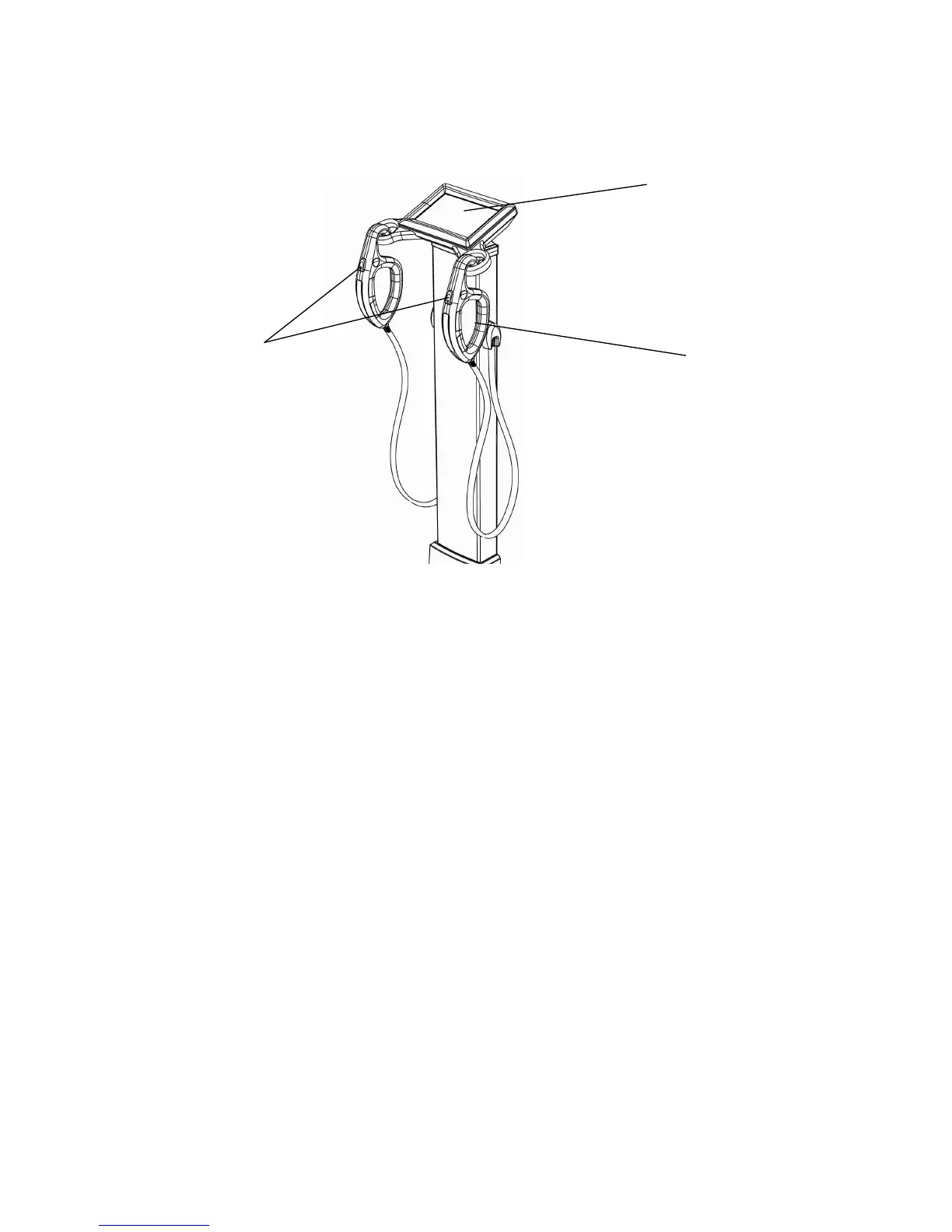
1) Front Part
▪ Color LCD panel as touch screen.
It displays the procedure and results.
▪ Handle Electrode
Handle Electrode measure the impedance by sending harmless electric current to the body.
Hold them with the hands during measurement.
▪ Start button
Start button after input of personal data.
Handle Electrode
Color LCD
Start button


 To Next Page