32
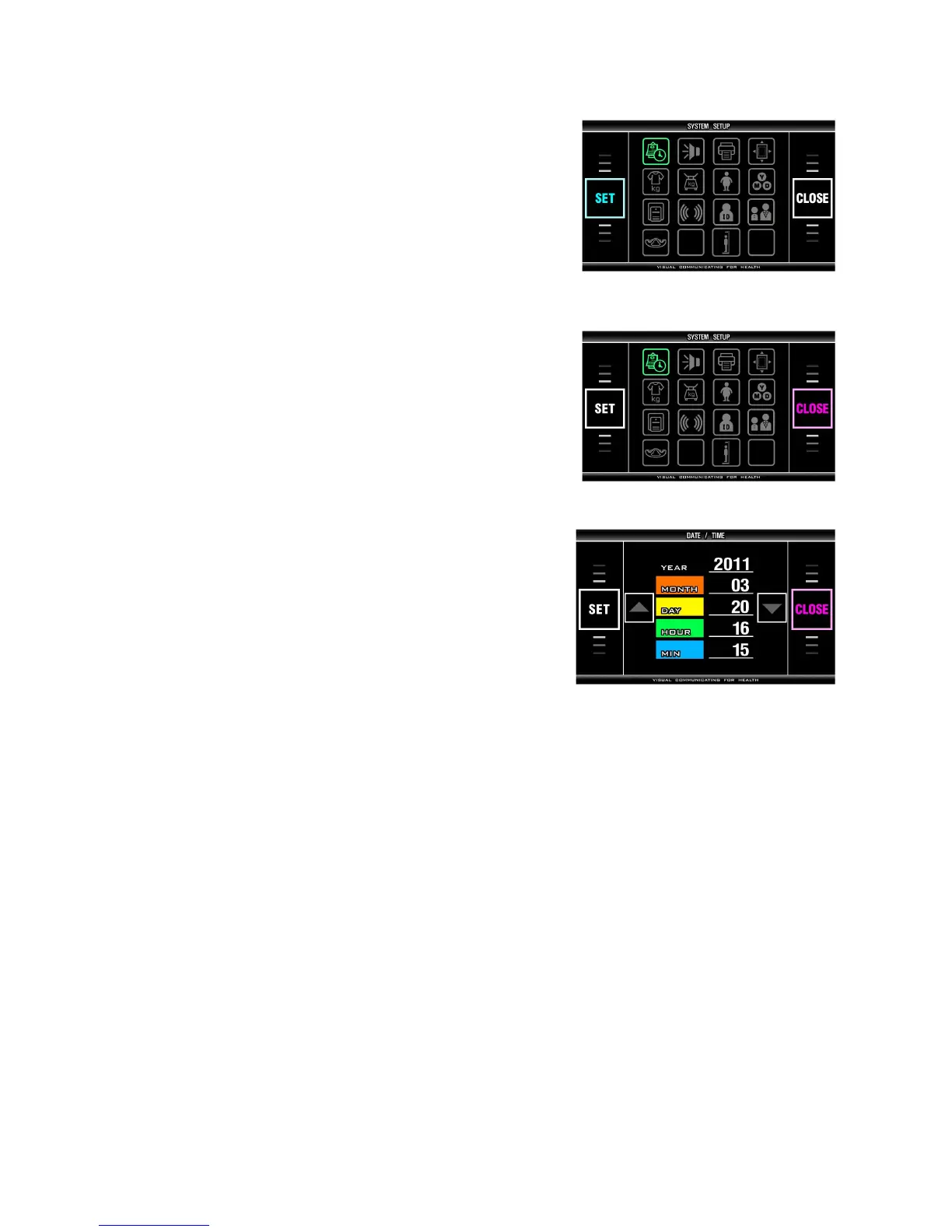
3. Selecting a Menu in SYSTEM SETUP
Select menu according to one’s desire, and confirm
changes using「SET」button.
4. Exiting SYSTEM SETUP
Press 「CLOSE」button on 'SYSTEM SETUP' phase,
then back to initial view of the analyzer.
5. Moving to SYSTEM SETUP
Press「CLOSE」button on the menu view, then program
is returned to 'SYSTEM SETUP' phase.


 To Next Page