38
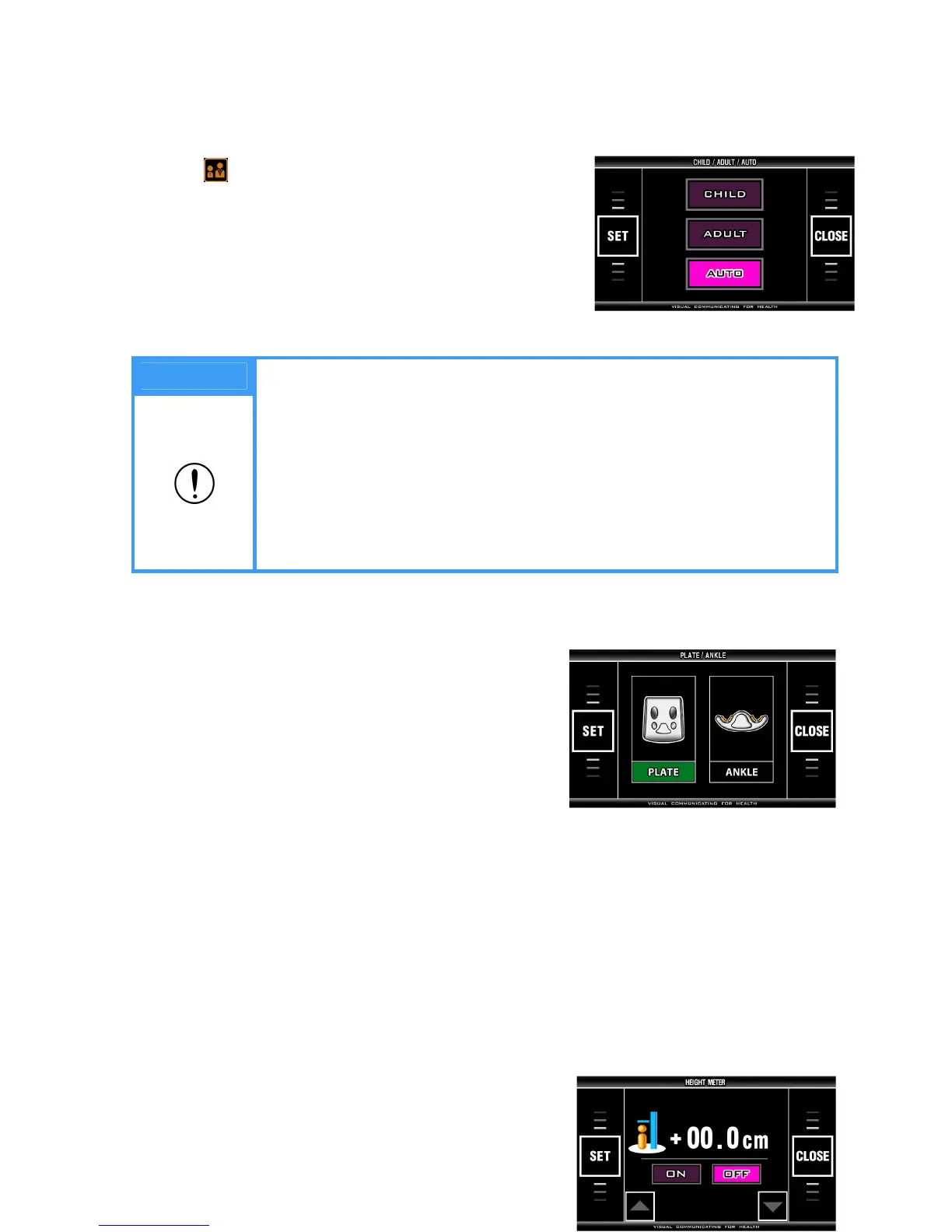
<CHILD/ADULT/AUTO>
It selects the print format of result sheet.
Choose ‘ ’ and on the initial screen of ‘SYSTEM SETUP’ to enter the menu.
- Pre-set: AUTO
- Select a print format with the touch pad.
- Press ‘SET’ button on touch pad to save it.
- Return to SYSTEM SETUP screen by pressing ‘CLOSE’
button on touch pad.
Note
1. The print format of result sheet
① CHILD: No matter what age is set, it prints the result sheet for CHILD.
Only the child growth curve is not printed in case of 18 or over 18.
② ADULT: No matter what age is set, it prints the result sheet for ADULT.
The child growth percentile is presented on the ADULT result sheet in
case of under 18.
③ AUTO: It automatically selects and prints a CHILD result sheet in case of
under 18 and an ADULT result sheet in case of 18 or over 18.
<PLATE/ANKLE>
Select either plate electrode or ankle electrodes.
- Pre-set: Plate electrode
- Enter into the menu view.
- Choose PLATE or ANKLE on touch pad.
- Press SET button to save it and return to main 'SYSTEM
SET UP' view with 'CLOSE' button.
<HEIGHT METER>


 To Next Page