Installation & Operation Manual - Model AVC5000
Contents of this Manual are Subject to Change Without Notification Page 18
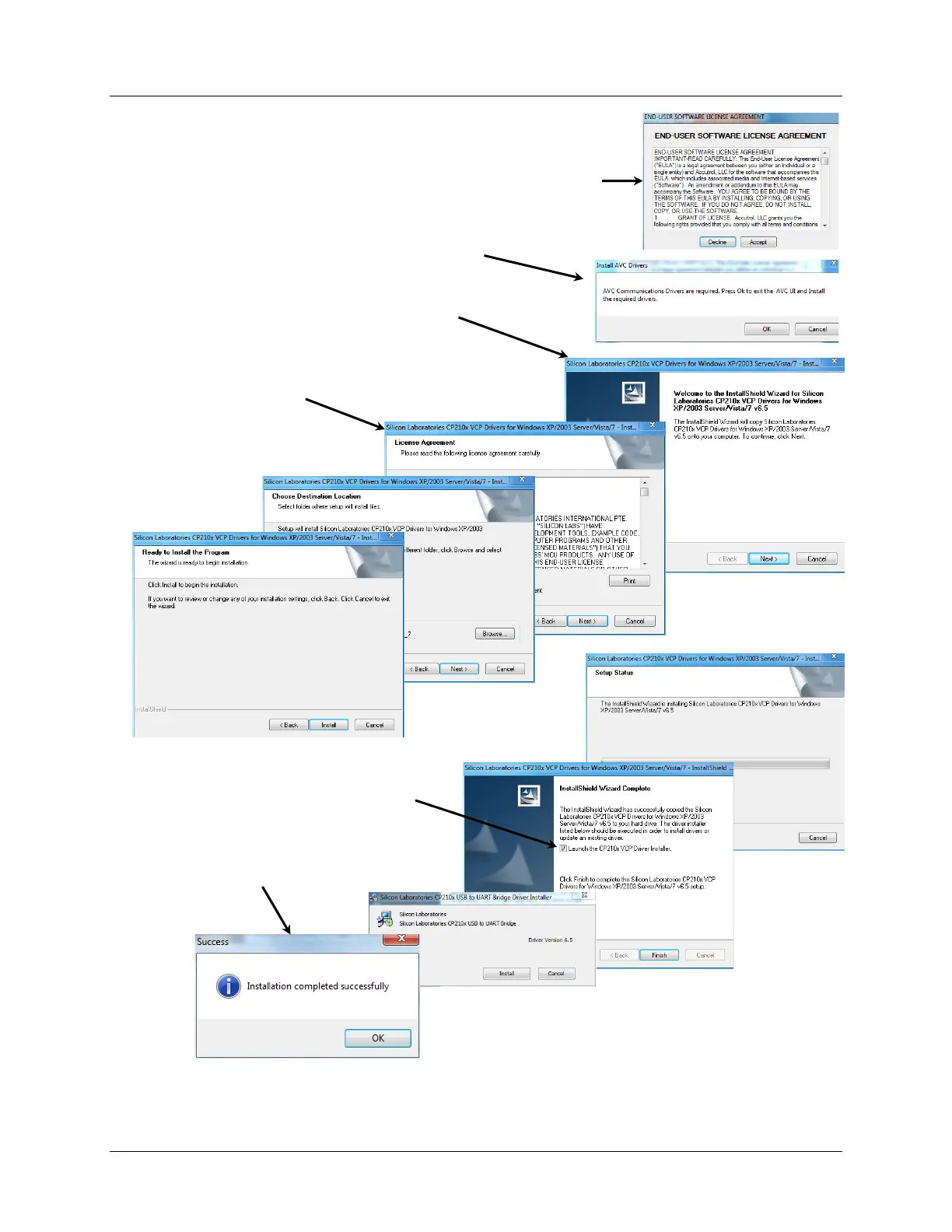
6.3 Installing the USB Communication Drivers
1. From the Start Menu, select Programs > AVC Insight
You are now ready to connect your PC to the AVC5000 USB port using the AVC Insight
program. Proceed to the next section for instructions.
2. Read the End-User Software License Agreement (EULA) and
select the appropriate response.
5. Accept the Silicon Laboratories EULA
terms to proceed.
6. Check box to Launch the CP210x
Driver Installer and select Finish.
7. After driver installation has been
completed, select OK.
4. Follow the screen prompts to install the
CP210x Drivers.
3. Select OK to start the Silicon Laboratories
InstallShield Wizard.
8. After driver installation has been completed, check OK.



 To Next Page