Installation & Operation Manual - Model AVC5000
Contents of this Manual are Subject to Change Without Notification Page 20
6.5 Connecting the PC to the AVC Control Module
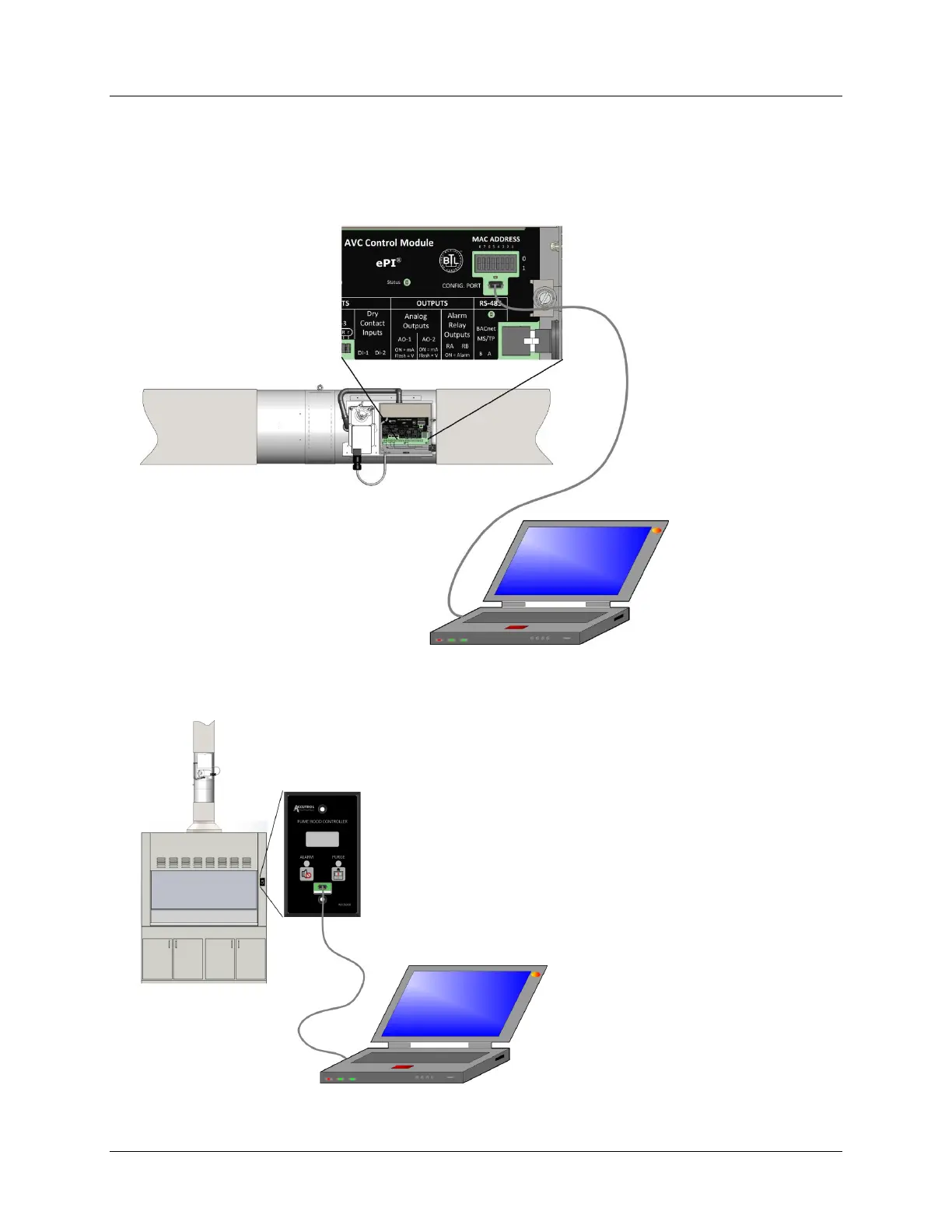
Using a USB cable with a Mini B connector, connect the PC to the control module as shown
below.
For “Setpoint Mode” non-fume hood applications connect USB cable to the AVC Control
Module:
For “Fume Hood Mode” applications that use the AFC5000 display, connect the USB cable
to the AFC5000 using the Mini USB port found under the rubber protective cap. Replace
protective USB cap once adjustments have been completed:



 To Next Page