Installation & Operation Manual - Model AVC5000
Contents of this Manual are Subject to Change Without Notification Page 26
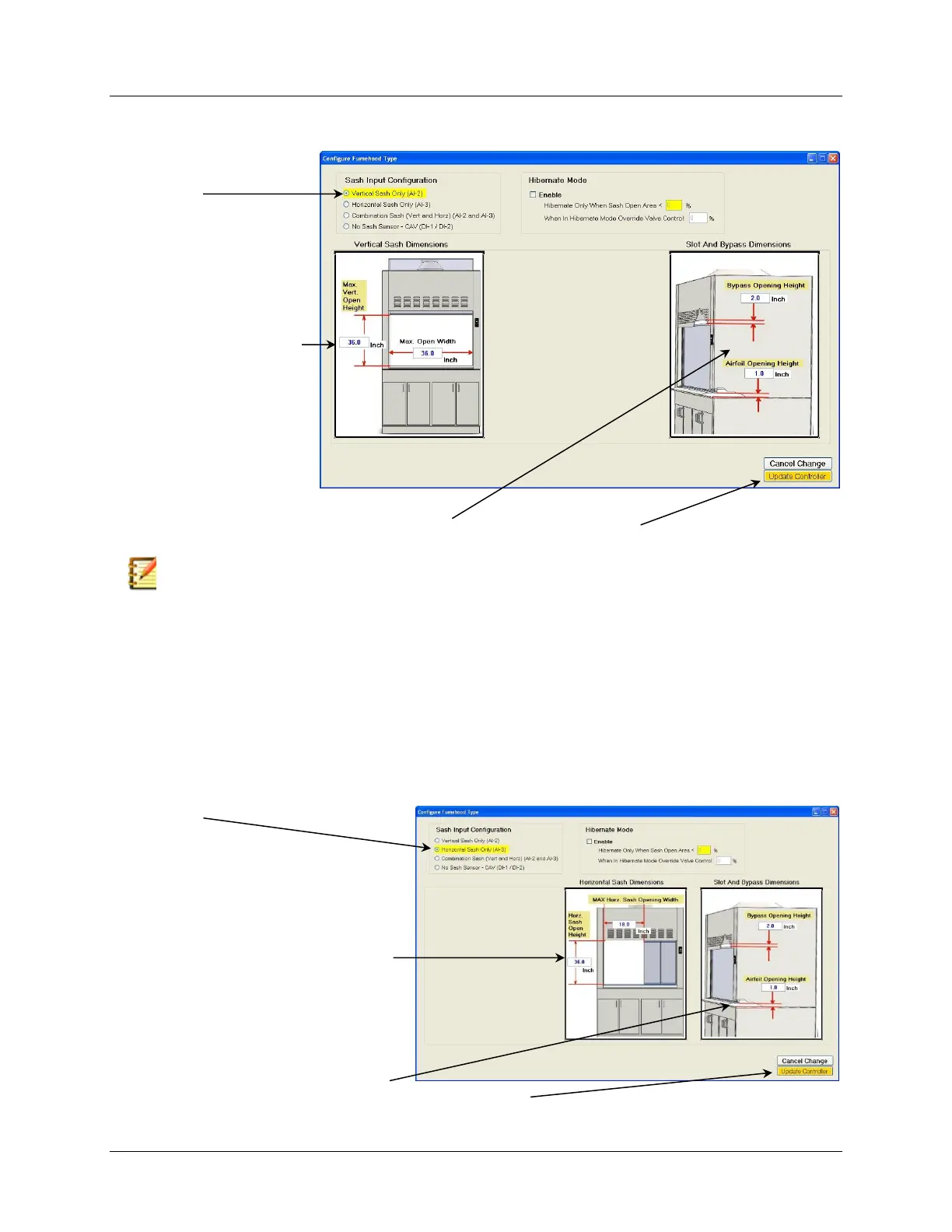
6.6.4.2.1.2 Vertical Sash Only (AI-2) Configuration
Follow the steps below to configure the controller for a Vertical Sash style fume hood.
Note: Most VAV fume hoods are designed with some open area located above and below the sash to
provide a means for air to enter into the fume hood from the room when the sash is in the closed position.
The open area above the sash, which is usually referred to as a “restricted upper bypass”, allows air to
enter into the fume hood only when the sash is closed, or nearly closed. As the sash is raised, the upper
bypass becomes blocked. The open area below the sash which allows air to flow into the fume hood over
the work surface is sometimes referred to as the lower bypass or airfoil opening. The lower bypass area is
not affected by the sash position.
6.6.4.2.1.3 Horizontal Sash Only (AI-3) Configuration
Refer to the Horizontal Sash Sensor Installation Guide for proper installation of the Accutrol
Horizontal Sash Sensor.
Follow the steps below to configure the controller for a Horizontal Sash style fume hood.
7. Enter Measured Values in the Boxes Provided
Select Update Controller to Save Changes Measured
Values in the Boxes Provided
1. Select
2. Position Panels to Achieve the
Maximum Opening
3. Measure Max Open Width & Height
4. Enter Measured Values in the Boxes
Provided
5. Enter “0” for the Upper Bypass
Opening Height
6. Measure the Lower Bypass
between work surface top of airfoil
and Enter Value in the Box Provided



 To Next Page