Installation & Operation Manual - Model AVC5000
Contents of this Manual are Subject to Change Without Notification Page 25
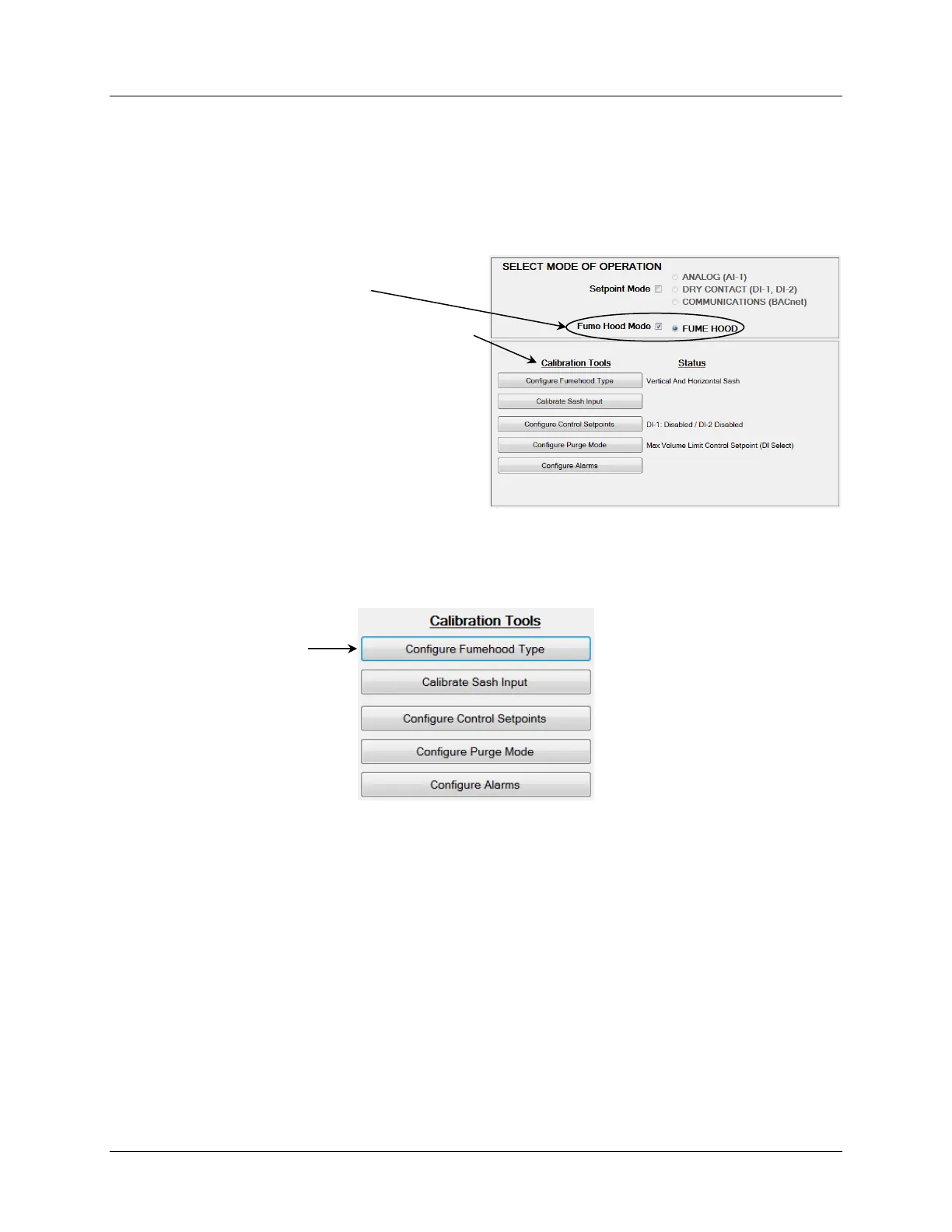
6.6.4.2 Fume Hood Mode
Selecting Fume Hood Mode will enable the AVC to operate as a fume hood controller using the
AFC5000 Display Module. For a detailed description of the AFC5000 Display Module, reference
Appendix E. When operating in Fume Hood Mode, the airflow setpoint is derived from the
fume hood configuration parameters described below. Because the AVC5000 controller must
be configured specifically for the fume hood which it is serving, field configuration is required.
The factory default values for the configurable parameters are provided in Appendix D.
6.6.4.2.1 Configure Fume Hood Type
Because the AVC5000 is capable of operating on many different types of fume hoods, bio safety
cabinets, flow benches or any device that requires precise control of the exhaust airflow, it is
necessary to define the fume hood type as the first step in the process.
After selecting “Configure Fume hood Type” you will be required to select one of four possible
choices which best fits your application. An example of each configuration is provided in the
following section.
The Fume Hood Mode Calibration Tools are accessed
through a series of buttons that are positioned in the
order of which they should be completed during the
initial startup. It’s critical that each item is completed
and verified to setup the controller and configure it
specifically for the fume hood it is servicing.
Each configuration parameter is explained in the
following section.



 To Next Page