Installation & Operation Manual - Model AVC5000
Contents of this Manual are Subject to Change Without Notification Page 41
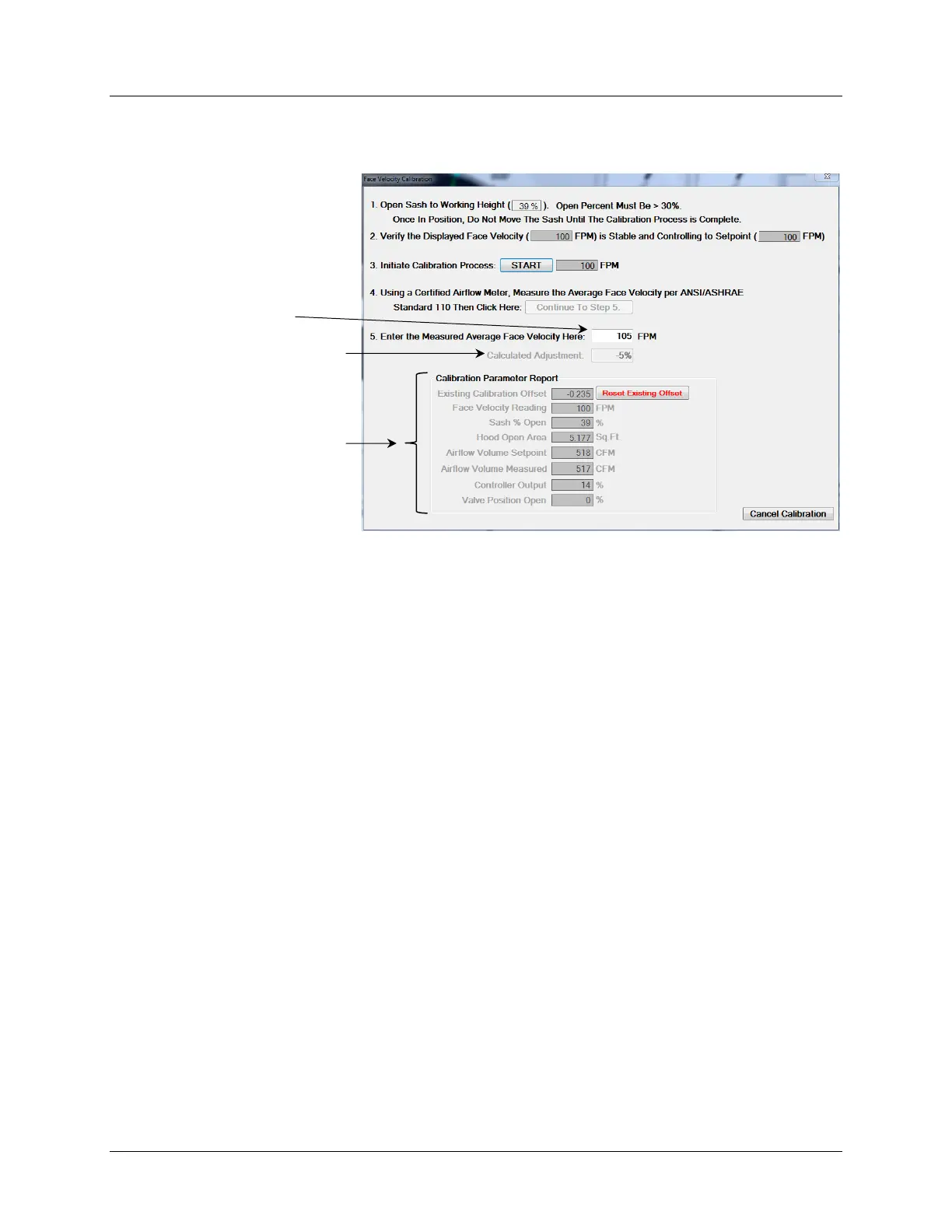
2. Perform the face velocity adjustment procedure by following the step-by-step
instructions provided in the Face Velocity Calibration Window (shown below).
3. The Controller information and Calibration Data can be saved to a .csv file once the
controller has been updated with the calibration adjustment has been saved.
4. Complete a final face velocity measurement to insure the adjusted face velocity
reading correlates to the field measurement.



 To Next Page