Installation & Operation Manual - Model AVC5000
Contents of this Manual are Subject to Change Without Notification Page 48
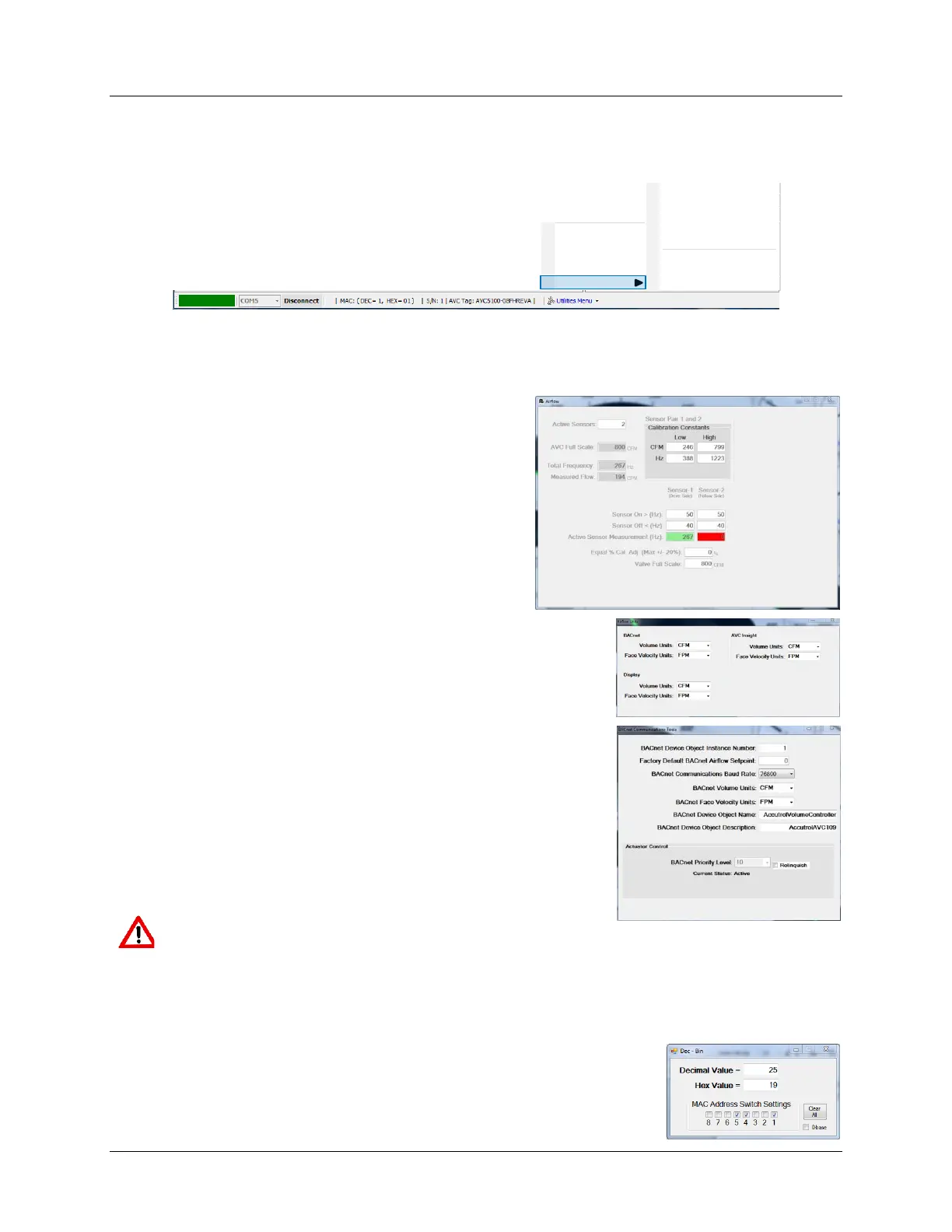
6.6.10.1 Task Bar “Utilities Menu” Pull-up Menu
6.6.10.1.1 Tools Menu
The Tools menu provides access to a number of items, each of which are described below.
Beep On Poll provides an audible sound each time the USB port is polled. This feature can be
useful for confirming the USB communications is active without viewing the screen. To turn
on/off “Beep On Poll”, click on the menu item.
WARNING: By selecting “Relinquish” the AVC’s internal control loop no longer has the
ability to control the actuator. Command of the AVC valve position will be provided by
the highest AO1 priority level on the BACnet network.
Address Switch Settings Calculator can be used to convert between Decimal and Hexadecimal.
This is a useful tool for setting the MAC Address DIP switch.
About
Controller Identification
Reset Dashboard
System Utilities
Tools
Beep on Poll
Airflow Measurement
Airflow Units
BACnet Communications
Address Sw itch Setting Calculator
Volume Measurement Adjust
Face Velocity Measurement Adjust
Actuator Feedback Calibration
Airflow Measurement provides viewing access to
the AVC’s real-time airflow measurement data
window. In addition to providing the factory
calibration constants, the Airflow Window also
provides the real-time vortex shedding frequency
measurement in each chamber of the AccuValve,
which can be a useful troubleshooting tool. This
window does not provide access for making changes
to the calibration data.
Airflow Units provides a means to set the units for Airflow
Volume and Face Velocity for BACnet, the AFC5000 Display and
the AVC Insight UI. The units’ selection for each of these three
items can be set different.
BACnet Communications provides a means for setting all of
the AVC5000’s BACnet parameters. In the lower portion of the
“BACnet Communications” tools dialog box, the Actuator
Control BACnet Priority Level is displayed along with the
current status of the selected Priority Level. Checking the
“Relinquish” box will release the AVC’s priority level.



 To Next Page