1-14 User’s Guide
1.7.3 Installing a SIMM
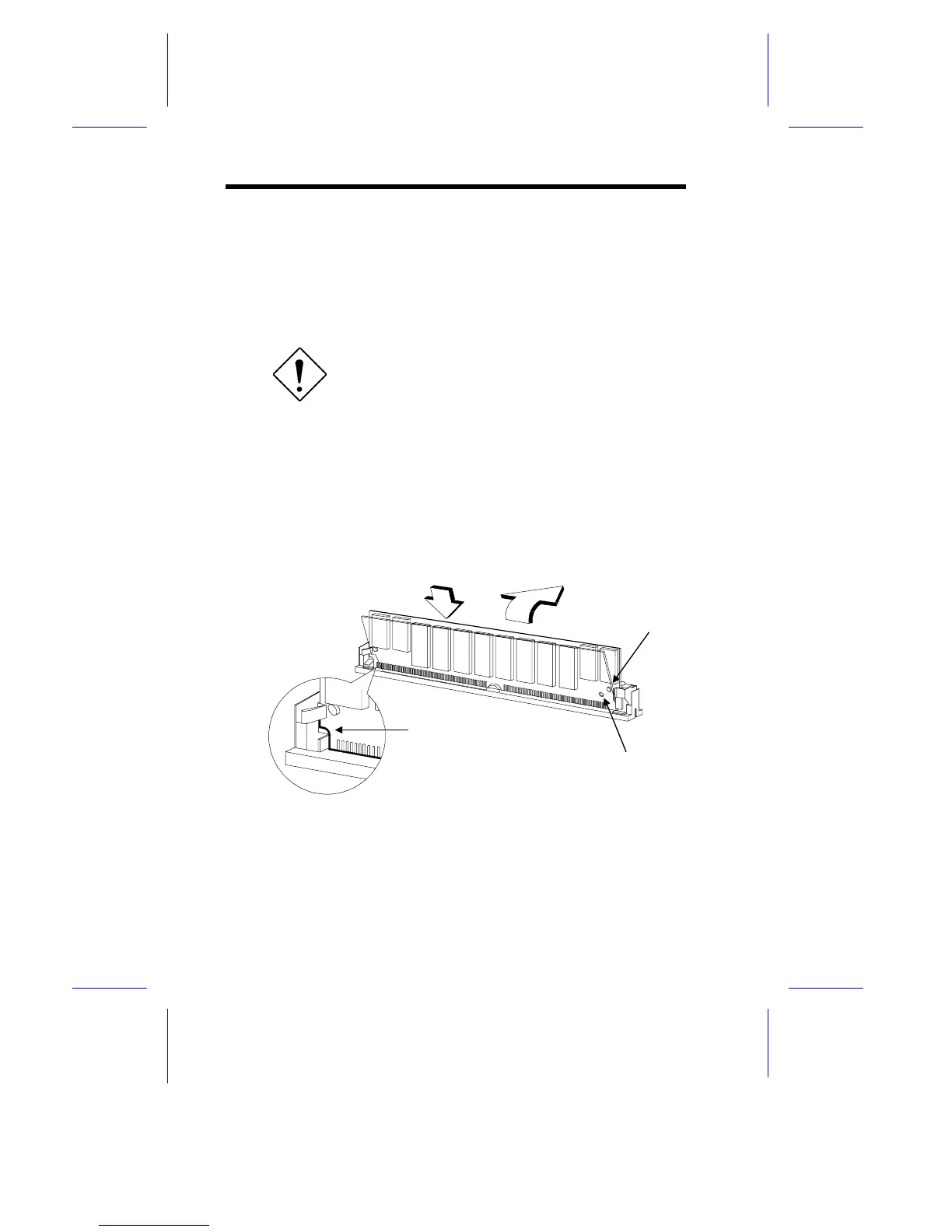
Follow these steps to install a SIMM:
1. Carefully slip a SIMM at a 45° angle into a socket making sure
that the curved edge indicating the pin 1 of the SIMM matches
pin 1 of the socket.
A SIMM fits only in one direction. If you slip
in a SIMM but would not completely fit, you
may have inserted it the wrong way.
Reverse the orientation of the SIMM.
2. Gently push the SIMM to a vertical position until the pegs of the
socket slip into the holes on the SIMM, and the holding clips lock
the SIMM into position. The SIMM should be at a 90
°
angle
when installed.
Figure 1-7 Installing a SIMM
Hole
Peg
Pin 1 Indicator
(curved edge)
1
2











 To Next Page