1-10 User’s Guide
1.6 CPU Upgrade
The system board comes with a zero-insertion force (ZIF) CPU socket
for easy installation.
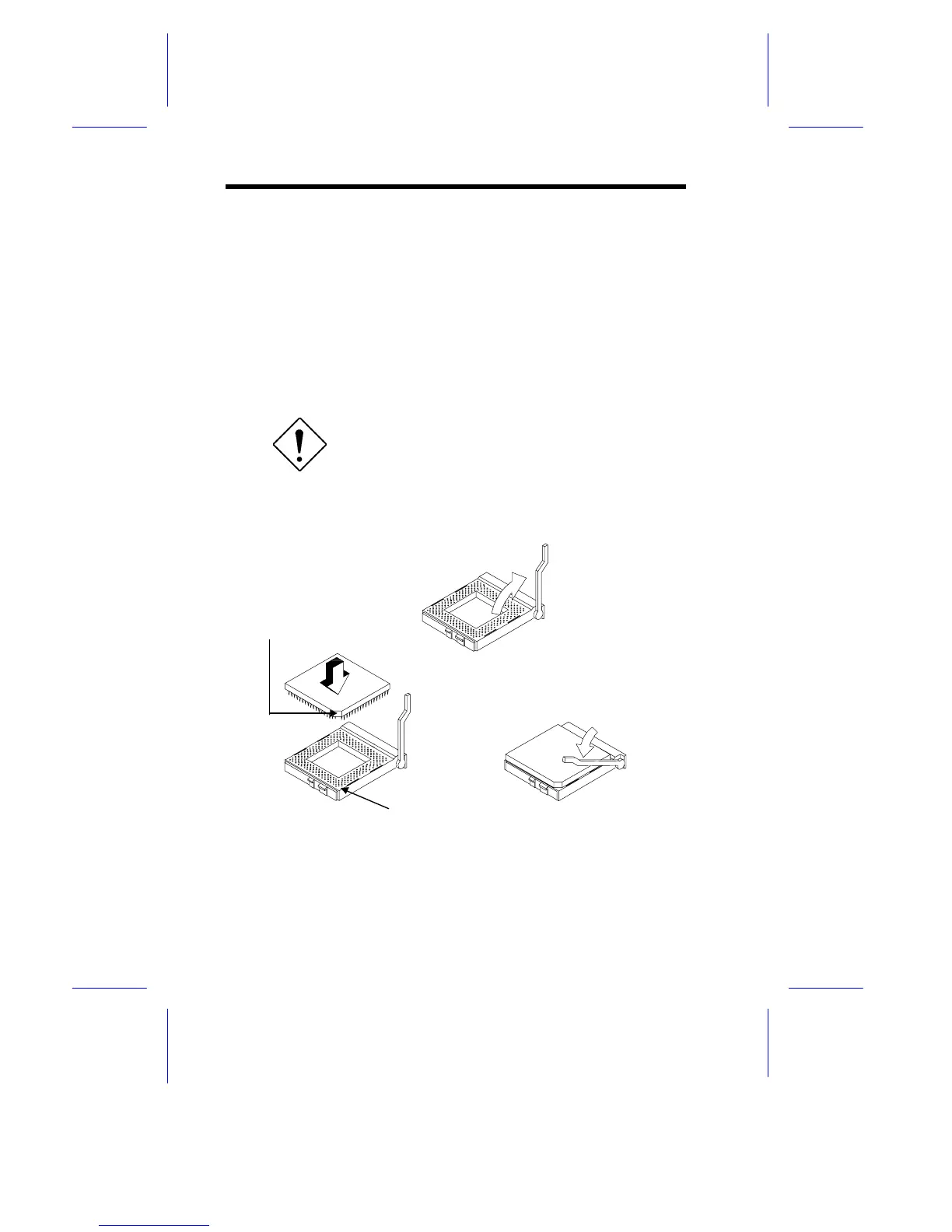
Follow these steps to install a Pentium CPU:
1. Pull up the socket lever.
2. Insert the CPU, making sure that the pin 1 of the CPU connects
to pin 1 of the socket.
Be careful not to bend any pins.
3. Pull down the socket lever.
Figure 1-5 Installing a Pentium CPU
STEP 1
STEP 2
STEP 3
Notched Corner
Pin 1 Indicator











 To Next Page