CG48 User Guide English25
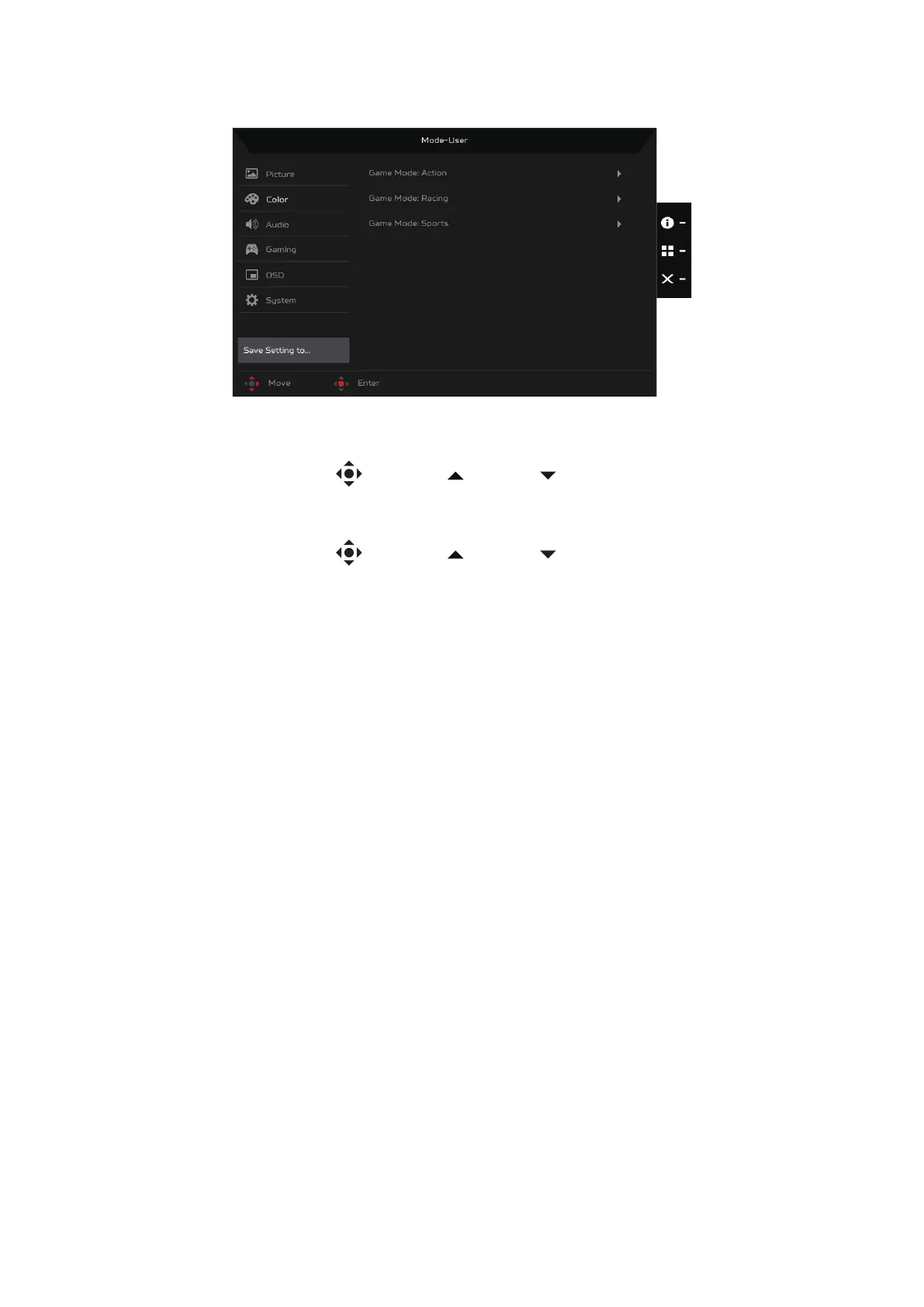
Save Settings to... (User mode only)
1. Press the MENU key to open the OSD.
2. Toggle the joystick to the up or down to select Save Setting to... from
the OSD.
3. Toggle the joystick to the right to access the menu items.
4. Toggle the joystick to the up or down to select your preferred game
mode (Game Mode: Action, Game Mode: Racing or Game Mode: Sports)
where you want to save settings to.
5. Press the joystick on your preferred game mode to save the settings.


 To Next Page