Disposal instructions
Do not throw this electronic device into the trash when discarding. To
minimize pollution and ensure utmost protection of the global environment,
please recycle. For more information on the Waste from Electrical and
Electronics Equipment (WEEE) regulations, visit https://www.acer-group.
com/sustainability/en/our-products-environment.html.
OLED pixel statement
The OLED unit is produced with high-precision manufacturing techniques.
Nevertheless, some pixels may occasionally misre or appear as black or red dots.
This has no eect on the recorded image and does not constitute a malfunction.
Power management statement should be as below.
• Activate display’s Sleep mode within 15 minutes of user inactivity.
• Wake the monitor when it is in Active Off mode, move the mouse or press any
keyboard key.
OLED design of Image Sticking Prevention
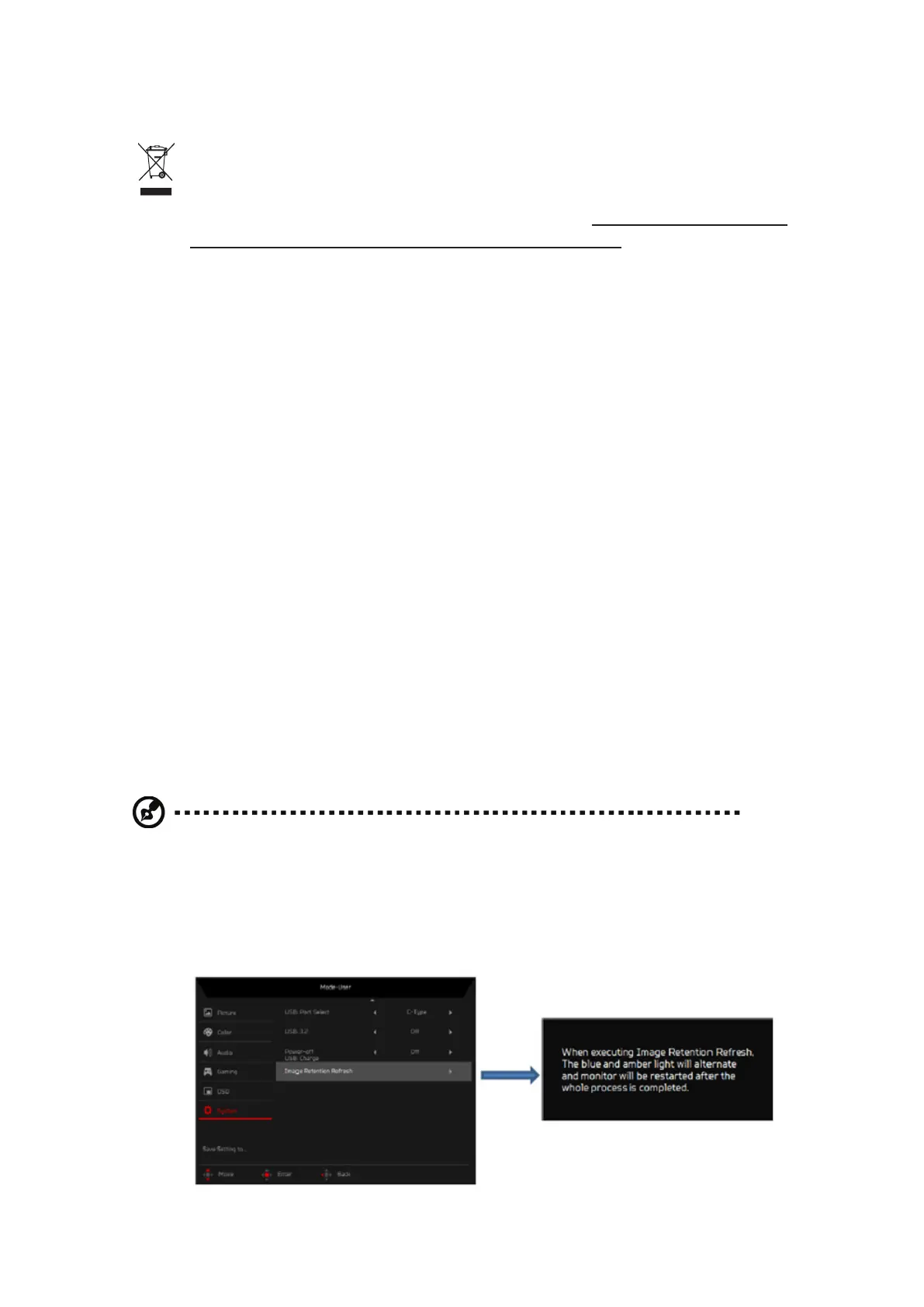
Image Retention Refresh
To reduces the risk of image retention occurrence,if the monitor has been in use
for Image Retention Refresh more than 4 hours,Image Retention Refresh, will start
automatically ater the monitor is turned o. You can also start Image Retention
Refresh manuall vis OSD menu.
When Image Retention Refresh process begins, the monitor will display warning
message the power LED starts ashing blue and amber light alternately.
When the power LED lights o,this indicates the Image Retention Refresh process
is complete, the duration of the Image Retention Refresh is around 5 minutes.
Note:
• During Image Retention Refresh process don’t turn off monitor and don’t unplug
the power.
• Image Retention Refresh can be pressed only when the screen has been used
for than 4 hours, before the time is exceeded it will be grayed out.


 To Next Page