EasyManua.ls Logo

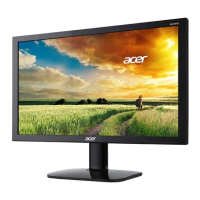
Acer KA240Y Hbi - User Manual

Acer KA240Y Hbi
38 pages
Print Icon
To Next Page IconTo Next Page
Loading...
Acer LCD Monitor
User's Guide

Questions and Answers

  • M
    Makayla ColeJul 29, 2025
    How to adjust display size on Acer KA240Y Hbi?
    • T
      Tyler GreeneJul 29, 2025
      If the display on your Acer Monitor is missing, shifted to the center, or the display size is incorrect, use the OSD to adjust the RESOLUTION, CLOCK, CLOCK-PHASE, H-POSITION, and V-POSITION settings, especially if you are using non-standard signals.
  • R
    robinsonangelaAug 3, 2025
    What to do if my Acer KA240Y Hbi has no picture and the LED flashes?
    • K
      Katherine KimAug 3, 2025
      If your Acer Monitor displays no picture and the LED is flashing, ensure that the video signal cable is properly connected to the back of the monitor.
  • V
    Vincent PowellAug 8, 2025
    Why is the picture unstable on my Acer KA240Y Hbi Monitor?
    • B
      Bruce JenningsAug 8, 2025
      If your Acer Monitor displays an unstable picture, verify that the specifications of your graphics adapter and monitor are compatible. A mismatch in the input signal frequency may be the cause.
  • E
    Elizabeth LittleAug 13, 2025
    What to do if my Acer KA240Y Hbi has no picture and the LED is OFF?
    • X
      Xavier CarterAug 14, 2025
      If your Acer Monitor displays no picture and the LED is off, check the power switch.
  • K
    Kathleen RamirezAug 18, 2025
    How to fix missing full-screen image on Acer KA240Y Hbi Monitor?
    • J
      Jacqueline MorrisAug 18, 2025
      If you are missing a full-screen image on your Acer Monitor, use the OSD to select a different resolution or vertical refresh timing.
  • C
    Charles HardingAug 23, 2025
    What to do after adjusting the image size on my Acer KA240Y Hbi?
    • R
      Robert YoungAug 23, 2025
      If you've adjusted the image size on your Acer Monitor, wait a few seconds before changing or disconnecting the signal cable or powering off the monitor.

Summary

Information for your safety and comfort

Safety instructions

Essential safety guidelines to follow before using the product.

Accessibility

Warnings

Crucial safety warnings regarding product usage and environment.

Using electrical power

Guidance on operating the product using the correct power source.

Product servicing

Tips and information for comfortable use

Taking care of your vision

UNPACKING

ATTACHING;REMOVING THE BASE

SCREEN POSITION ADJUSTMENT

CONNECTING THE POWER CORD

SAFETY PRECAUTION

CLEANING YOUR MONITOR

POWER SAVING

INSTALLATION

USER CONTROLS

Base Controls

Overview of function buttons and power button locations and functions.

Using the Shortcut Menu

Adjusting the Settings

Adjusting the Picture

Adjusting the Color

Adjusting the Audio

Adjusting the Performance

Adjusting the OSD

Adjusting the System

TROUBLESHOOTING

Acer KA240Y Hbi Specifications

General IconGeneral
Screen Size23.8 inches
Resolution1920 x 1080 (Full HD)
Panel TypeIPS
Refresh Rate75 Hz
Brightness250 nits
Contrast Ratio1000:1
Connectivity1 x HDMI 1.4, 1 x VGA
VESA Mount CompatibleYes (100 x 100 mm)
Aspect Ratio16:9
Viewing Angle178° horizontal, 178° vertical
Color Support16.7 million colors
HDMI Version1.4
VESA Mount100 x 100 mm
Tilt-5° to 15°
Dimensions (W x H x D)540.2 x 417.4 x 186.5 mm
Weight2.8 kg

Related product manuals