14 - Use with an iPhone
Pairing your Leap device and phone
Once you have set up the app, you will need to pair it with your Leap
device.
1.Turn on your phone’s Bluetooth from Settings > Bluetooth.
2.Connect your Leap device to its charger cradle.
3.Turn on Acer Leap Manager.
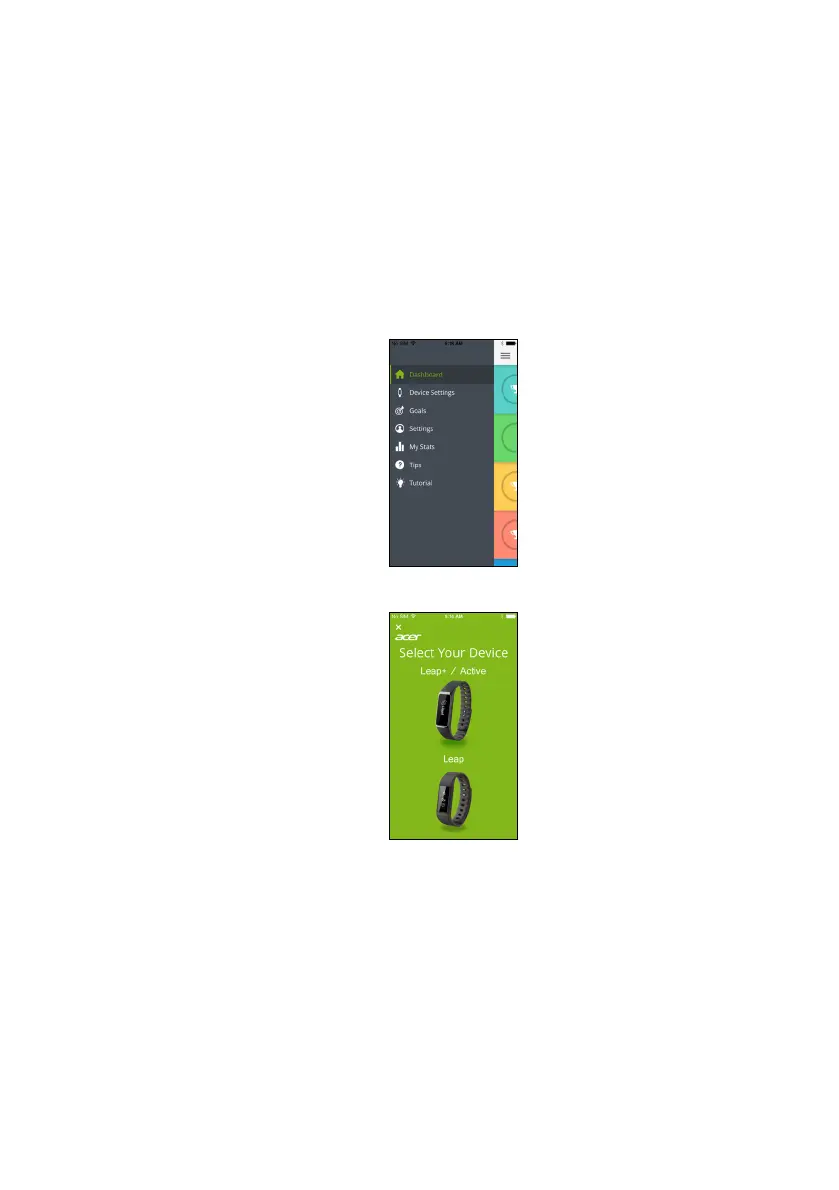
4.Tap Device Settings from the menu (accessible by tapping the
Menu icon in the upper left-hand corner).
5.Select your device type from the next page.
6.You will be reminded to make sure your Leap device is plugged into
a power source and is displaying a 4-character code. Tap Yes and
follow the onscreen instructions.


 To Next Page
 Loading...