Setting up - 5
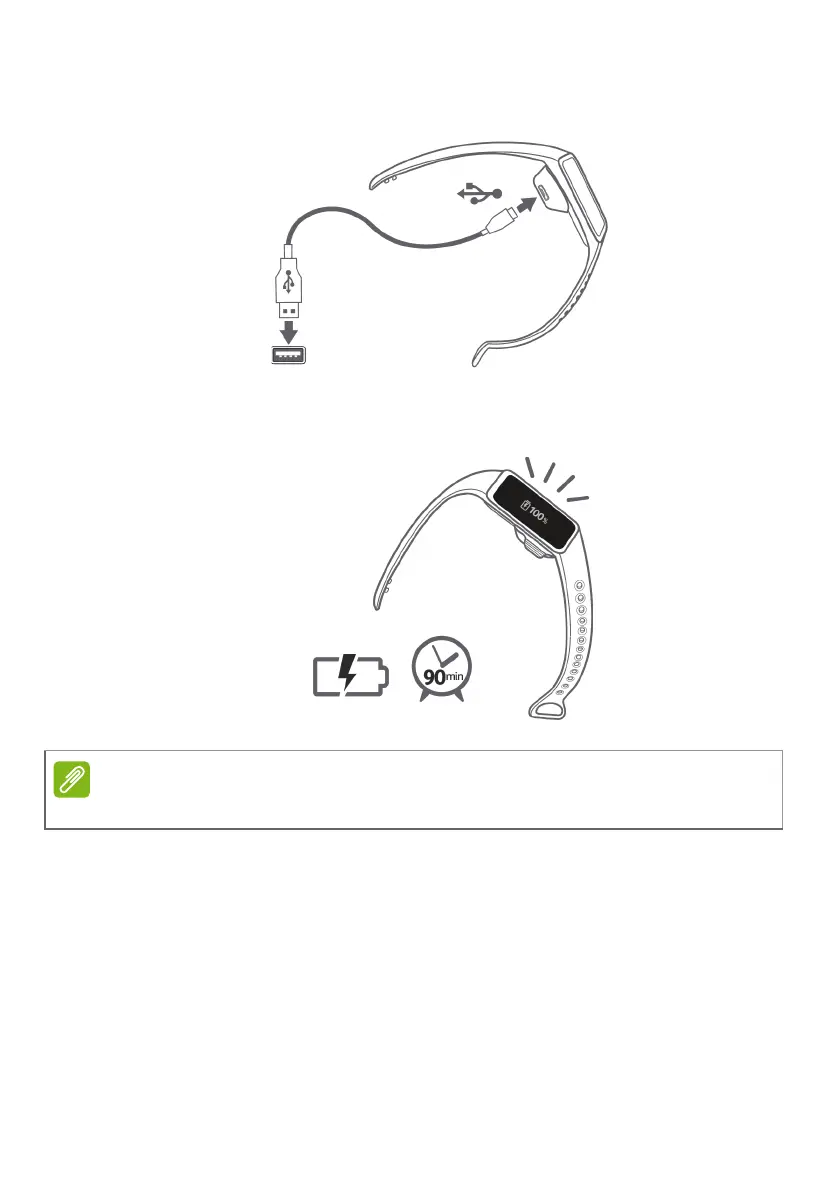
2.Connect the cradle to your computer using the supplied USB cable.
3.Charge your Leap device for about 90 minutes to charge fully. You
can keep track of the charge progress on the screen.
Securing the wristband
1.Put on the wristband as illustrated.
2.Feed one end of the strap through the loop at the other end of the
strap. Align both ends of the wristband so they are directly
Double-tap the screen to see the charge level.


 To Next Page
 Loading...