22 - Use with a Windows phone
Notifications
You will get notifications via your Leap device when you have an
incoming or missed call, or a text message.
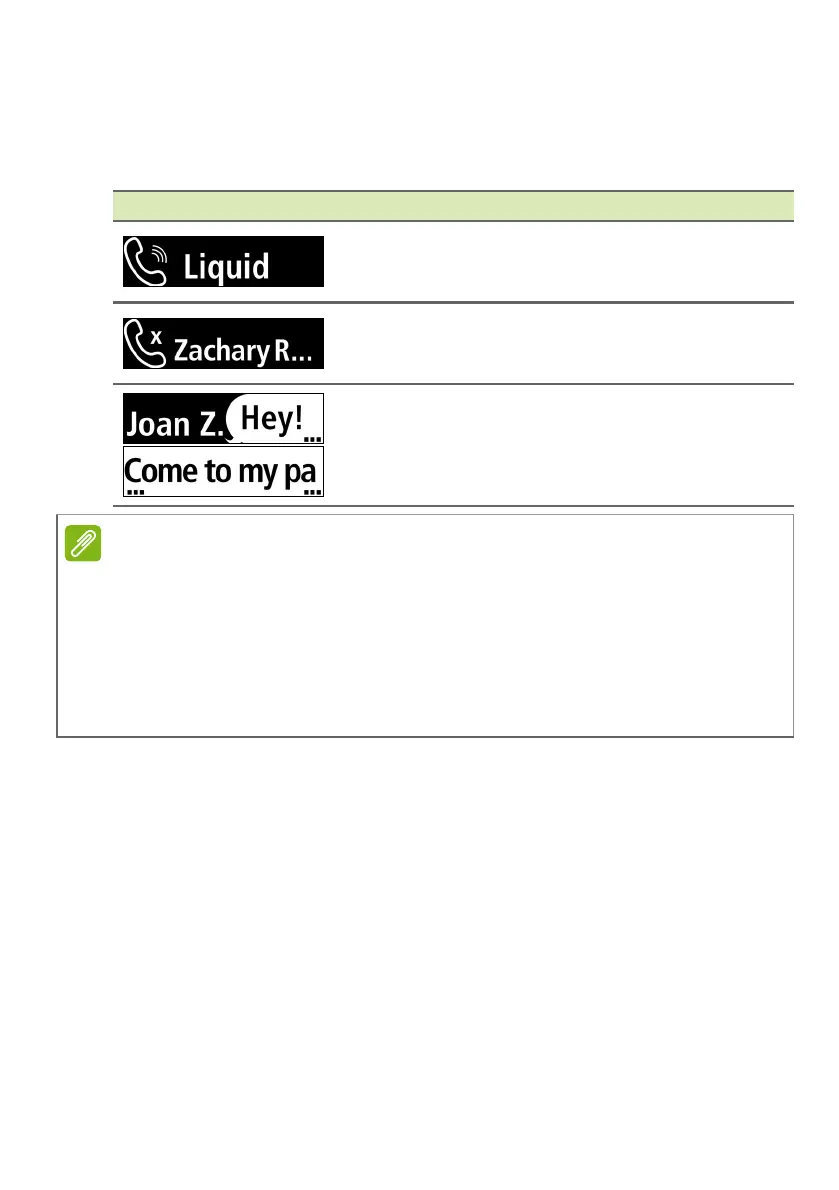
Screen item Information
Incoming call: Displays the contact’s name
(if the contact is stored on your phone) or
phone number.
Missed call: Displays the contact’s name (if
the contact is stored on your phone) or phone
number.
Text message: Displays the contact’s name
(if the contact is stored on your phone) or
phone number and shows the message
content.
You will only receive notifications if your smartphone and Leap device are
turned on and connected.
Your Leap device will display notifications for unread messages and missed
calls for up to12 hours.
Notifications are received in real time; meaning you will only get notifications
for messages and calls received while the Leap device and smartphone are
1) within range of each other, 2) turned on, and 3) connected.


 To Next Page
 Loading...