24 - Using the Leap device
Tap the APPS screen to launch other available apps on your Leap
device.
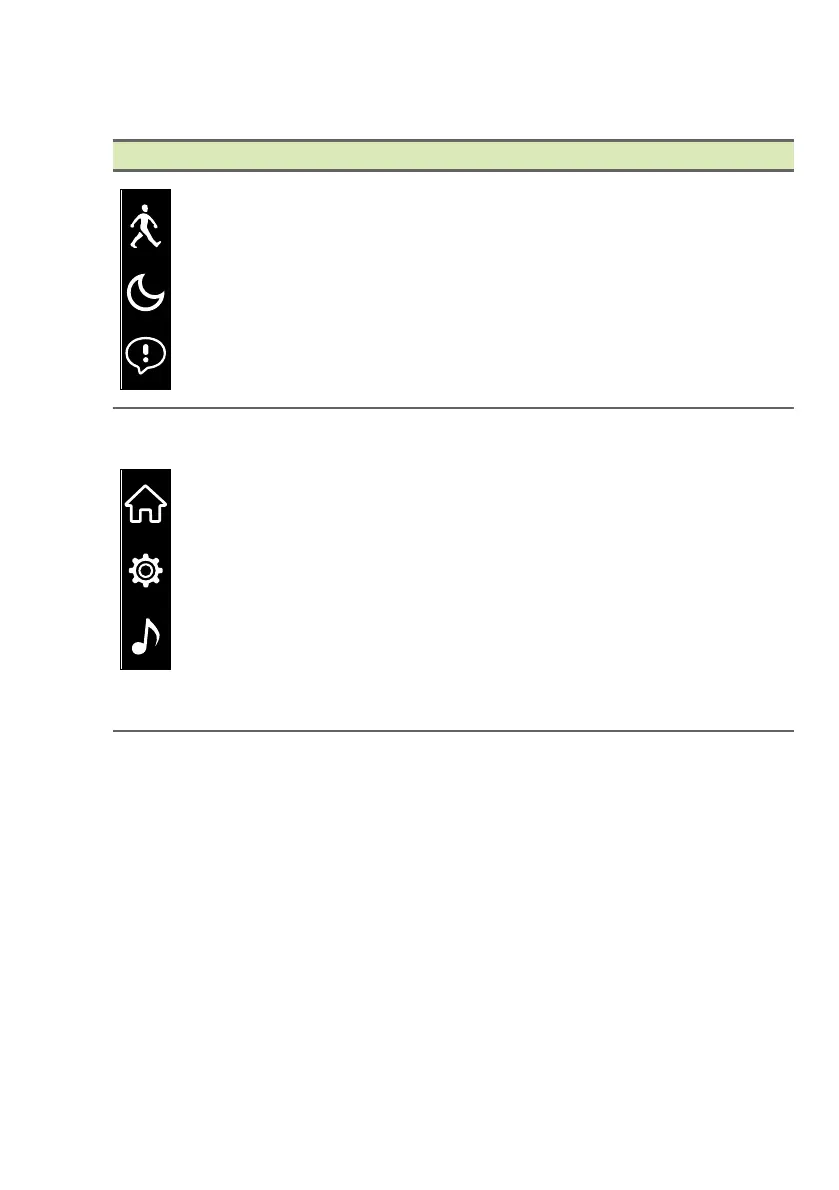
App Information
From the top:
Steps: Indicates the number of steps
recorded each day and indicates how far you
are to achieving your goal.
Sleep: Records the amount of time you
sleep.
Notifications: Displays any unread message
and missed call notifications on your Leap
device.
From the top:
Home: Return to the Home screen.
Settings:
• View battery charge status
• View device info.
• Flip the screen for left- or right-handed use.
• Restart the device (performs the same
function as the reset button on the cradle).
• Perform a factory reset.
Music: Control Apple Music or Google Play
Music from your Leap device.


 To Next Page
 Loading...