1 Getting to know your TravelMate6
English
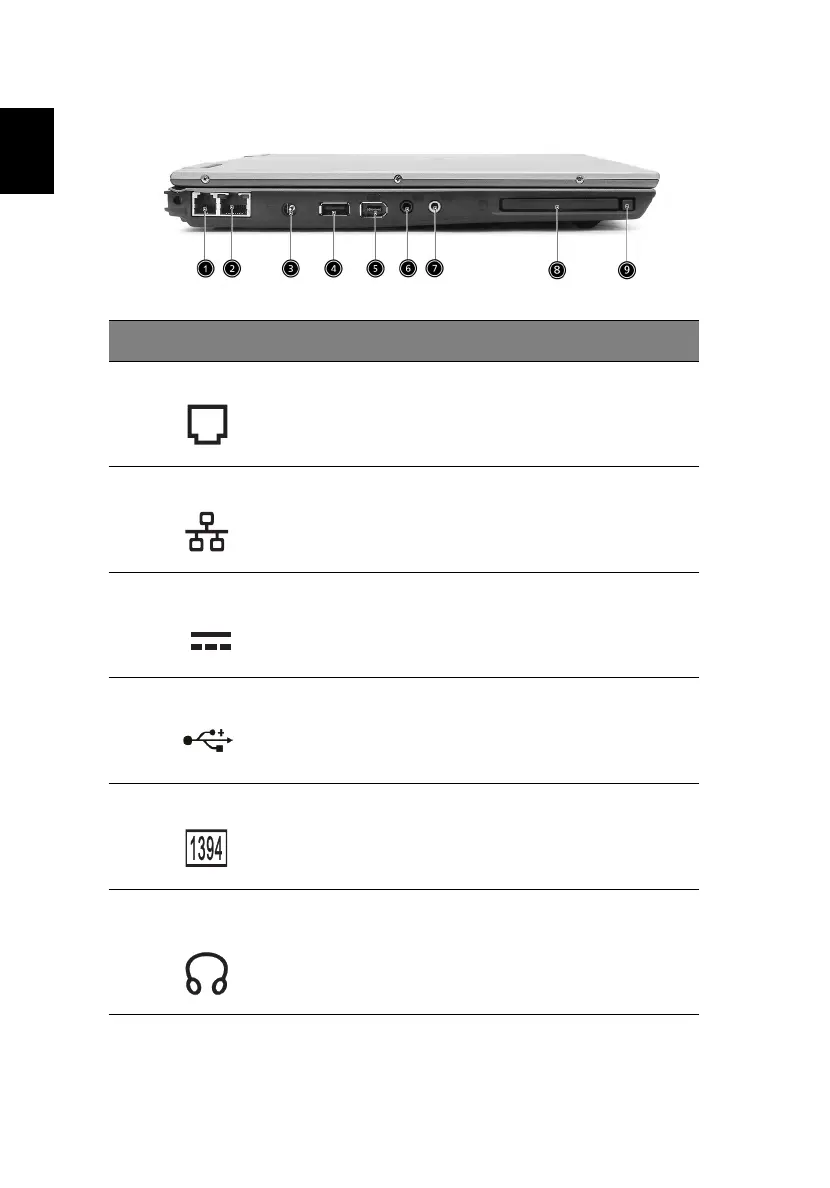
Left view
# Item Description
1 Modem port Connects to a phone line.
2 Ethernet port Connects to an Ethernet 10/100-
based network.
3 DC-in jack
Connects the AC adapter.
4 USB 2.0 port Connects to Universal Serial Bus
devices (e.g., USB mouse, USB
camera).
5 IEEE 1394 port Connects to IEEE 1394 devices.
6 Headphone/ Speaker/ Line-
out jack
Connects to headphones or other
line-out audio devices (speaker).





 To Next Page