37
English
Expanding through options
Your TravelMate offers you a complete mobile computing experience.
Connectivity options
Ports allow you to connect peripheral devices to your computer as you
would with a desktop PC. For instructions on how to connect different
external devices to the computer, see your online guide for more
details.
Fax/data modem
Your computer has a built-in V.90/92 56Kbps AC’97 Link fax/data
modem.
Warning! This modem port is not compatible with digital
phone lines. Plugging this modem into a digital phone line
will damage the modem.
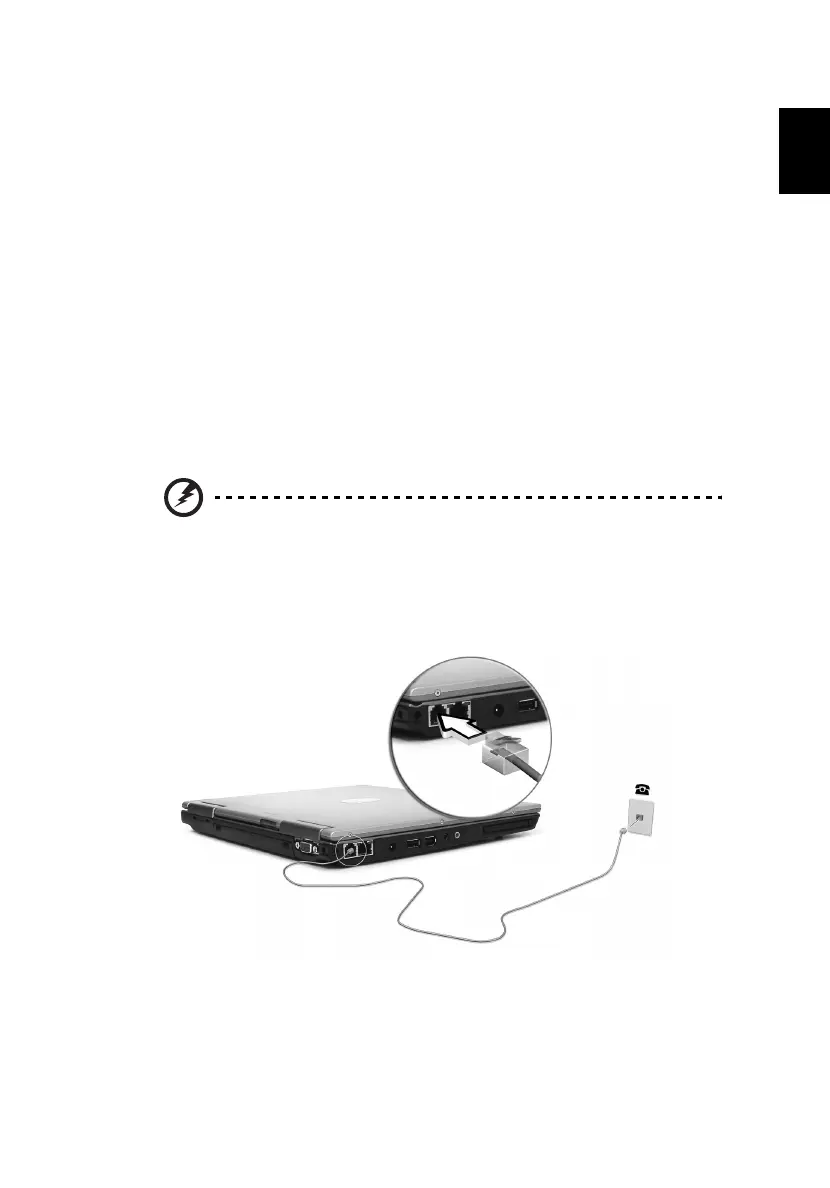
To use the fax/data modem port, connect a phone cable from the
modem port to a telephone jack.
Start your communications software program.




 To Next Page