7
English
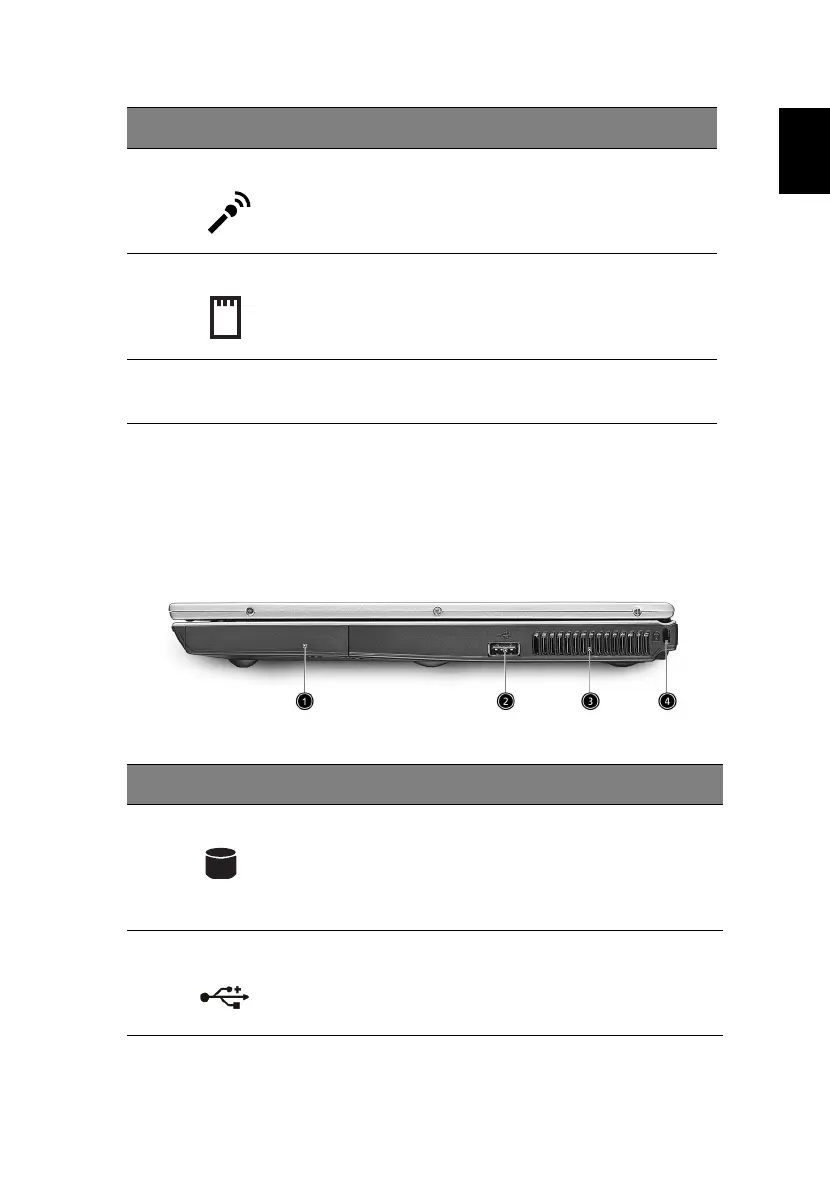
Right view
7 Microphone/line-in jack
Accepts input from external
microphones
, or other audio line-in
devices (e.g. audio CD player, stereo
walkman and etc
.)
8 PC Card slot Accepts one Type II 16-bit PC Card or
32-bit CardBus PC Card.
9 Eject button Ejects the PC Card from the slot.
# Item Description
1 HDD Houses the computer’s hard disk.
2 USB 2.0 ports Connects to Universal Serial Bus devices (e.g.,
USB mouse, USB camera).
# Item Description




 To Next Page