1 Getting to know your TravelMate22
English
Touchpad
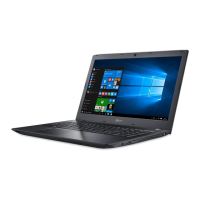
The built-in touchpad is a pointing device that senses movement on its
surface. This means the cursor responds as you move your finger on the
surface of the touchpad. The central location on the palmrest provides
optimum comfort and support.
Touchpad basics
The following items teach you how to use the touchpad:
• Move your finger across the touchpad to move the cursor.
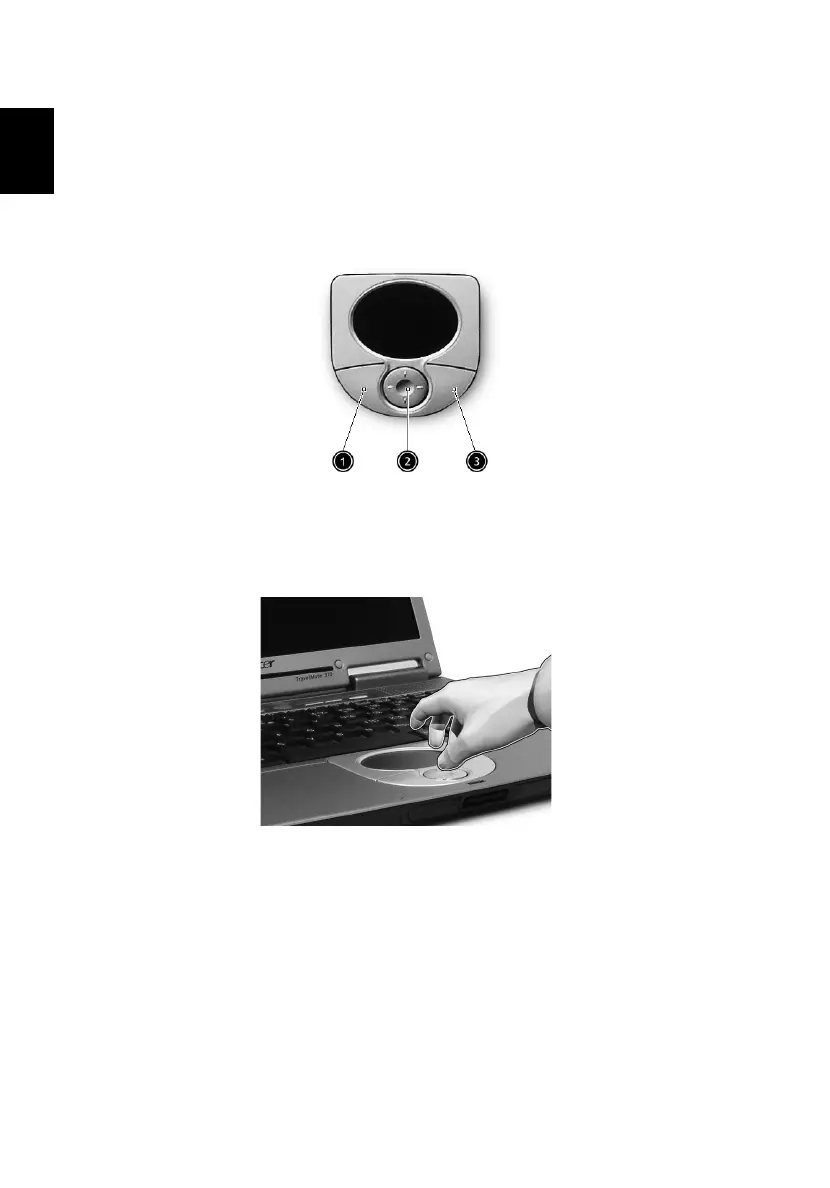
• Press the left(1) and right(3) buttons located on the edge of the
touchpad to do selection and execution functions. These two
buttons are similar to the left and right buttons on a mouse.
Tapping on the touchpad produces similar results.
• Use the 4-way scroll (2) button (top/bottom/left and right) to scroll
a page up, down, left or right. This button mimics your cursor
pressing on the vertical and horizontal scroll bards of Windows
applications.




 To Next Page