1 Getting started
Acer n30 tour
3
Acer n30 tour
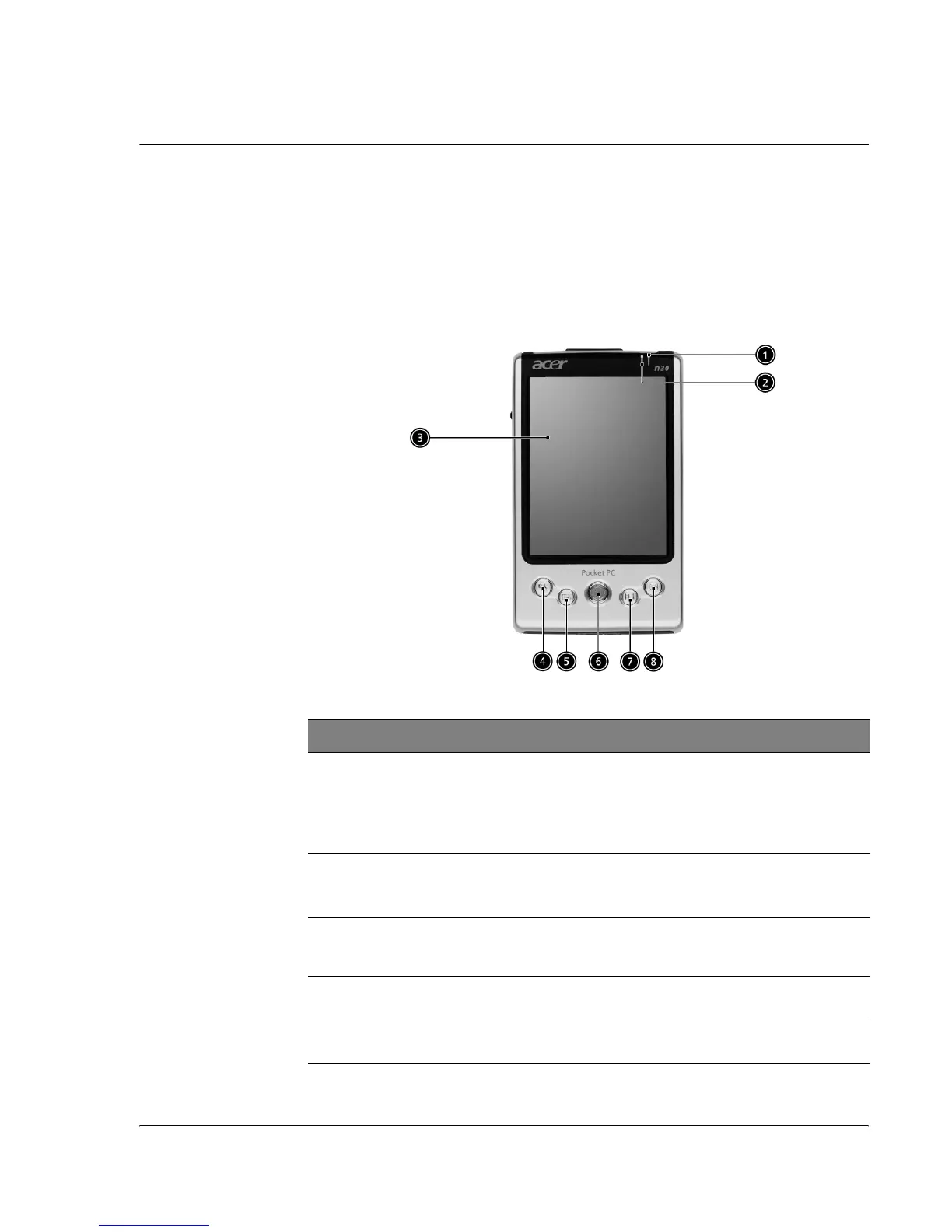
Front view
No. Component Description
1 Power LED indicator Power LED indicator.
- status description:
• Flashing green - Charging
• Steady green - Charging complete
• Flashing red - Alarm indicator, email receiving
2 Bluetooth LED indi-
cator
Bluetooth LED indicator. (for n30-B only)
- status description:
• Flashing blue - Bluetooth is on
3 LCD touchscreen Displays the applications and data stored in your handheld.
It is touch-sensitive and responds to the stylus or your
finger.
4 Quick button for
Today
Displays the Today screen. For more information on this
screen, refer to page 12.
5 Quick button for
Calendar
Activates the Calendar program. For more information on
this program, refer to page 29.


 To Next Page