1 Getting started
Acer n30 tour
5
• To turn off the backlight, press the power button and hold it down for two
seconds. Release the button when the backlight turns off.
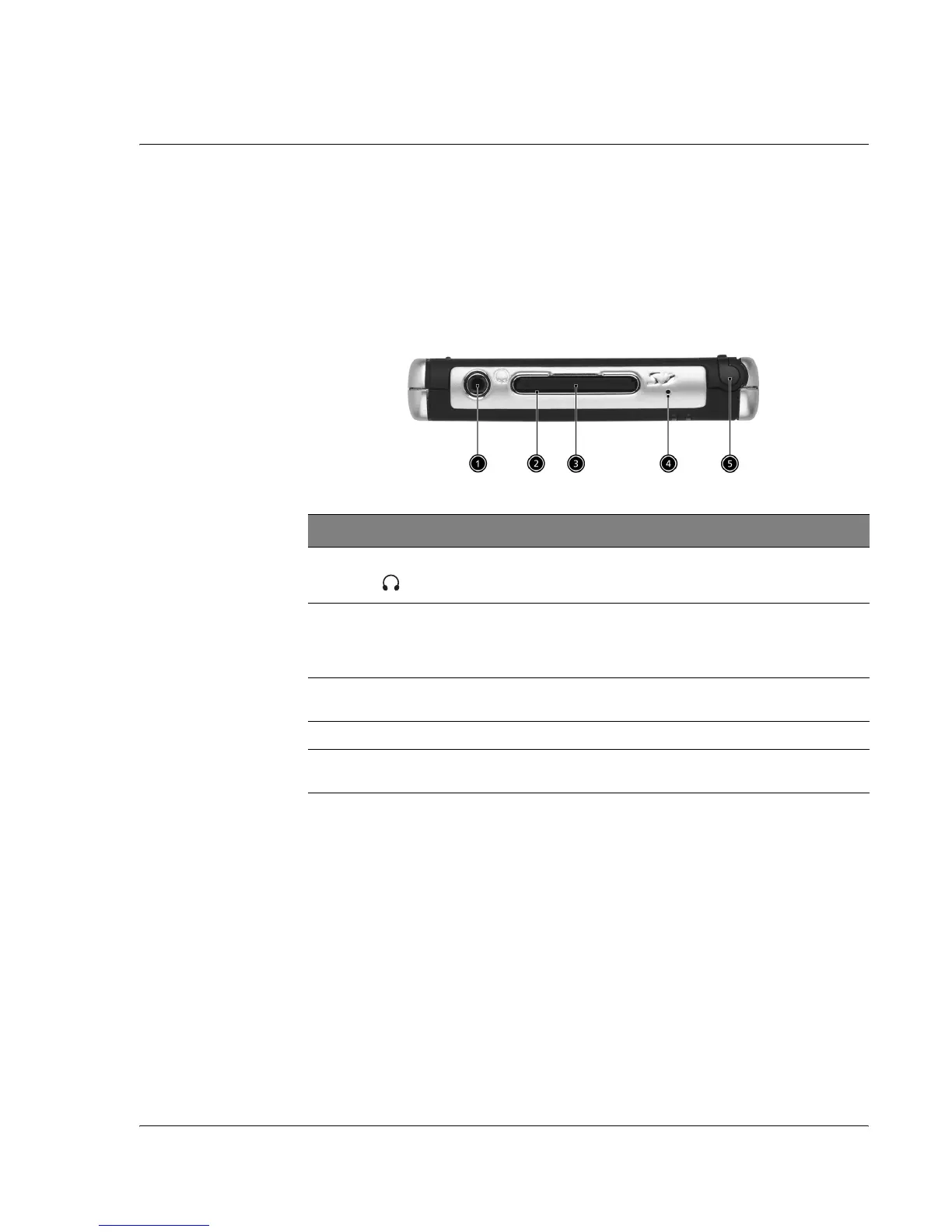
Top view
No. Label Description
1 Earphone jack Connects to audio line-out devices (earphones/headphones).
2SD/MMC slot Accepts a Secure Digital or MultiMedia Card, allowing you to
add more memory, install add-on applications or use audio or
text files stored on it with internal applications. You can also use
expansion cards to back up data from your handheld.
3 Dummy SD-
card
Use this to protect the SD connector when no card is installed.
4 Microphone Inputs audio into your handheld.
5 Stylus holder Secures the stylus to your handheld. To use the stylus, remove
from its holder and hold it as you would hold a pen or pencil.


 To Next Page