2 Entering data in your Acer n30
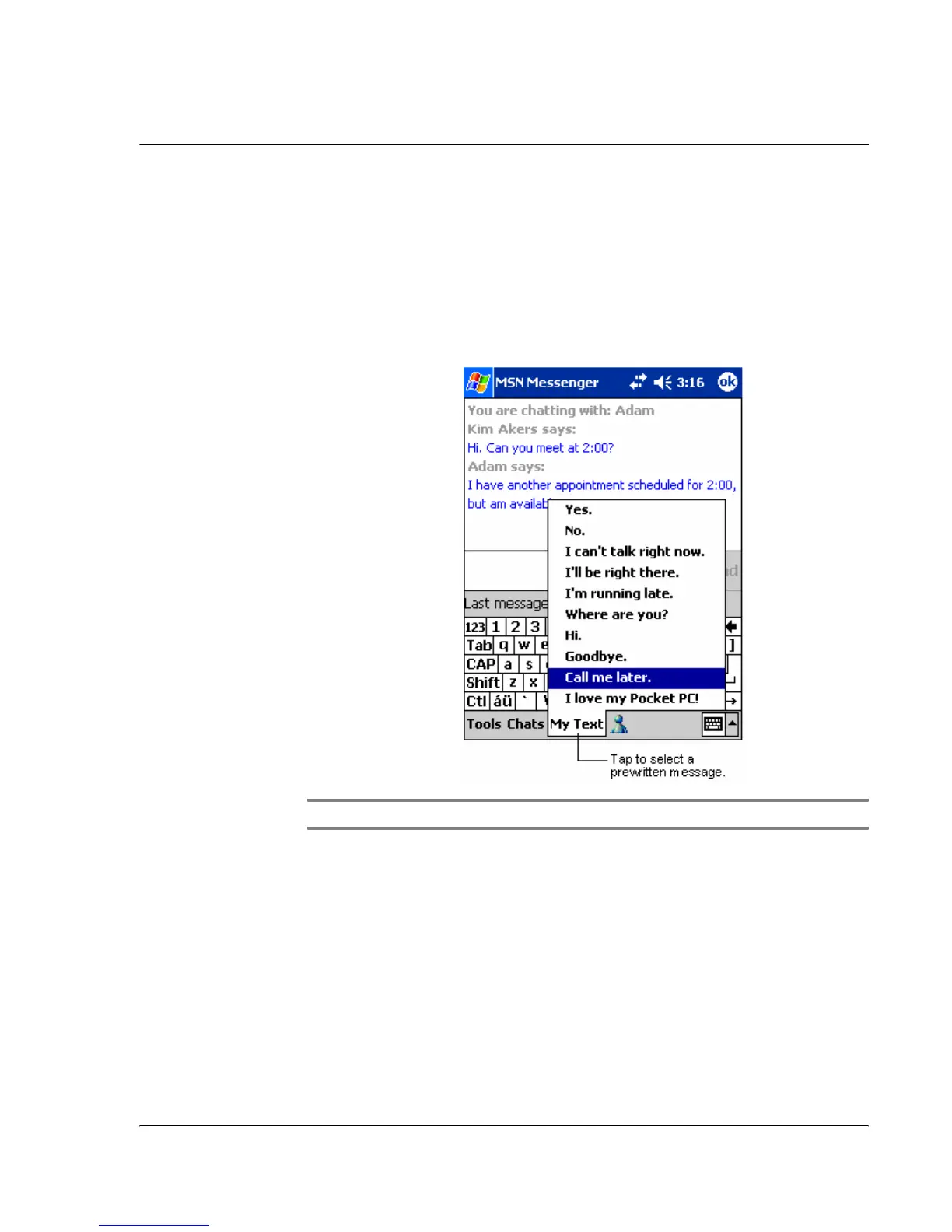
Using My Text
23
Using My Text
When using Inbox or MSN Messenger, use My Text to quickly insert preset or
frequently used messages into the text entry area.
To insert a My Text message
1 Tap My Text on the screen’s command bar.
2 Tap a message.
NOTE: You can add text after inserting a My Text message before sending it.
To edit a My Text message
1 In the Tools menu, tap Edit and then tap My Text Messages.
2 Select the message you wish to edit and make desired changes.


 To Next Page