1 Getting started
Preparing to use your Acer n30
6
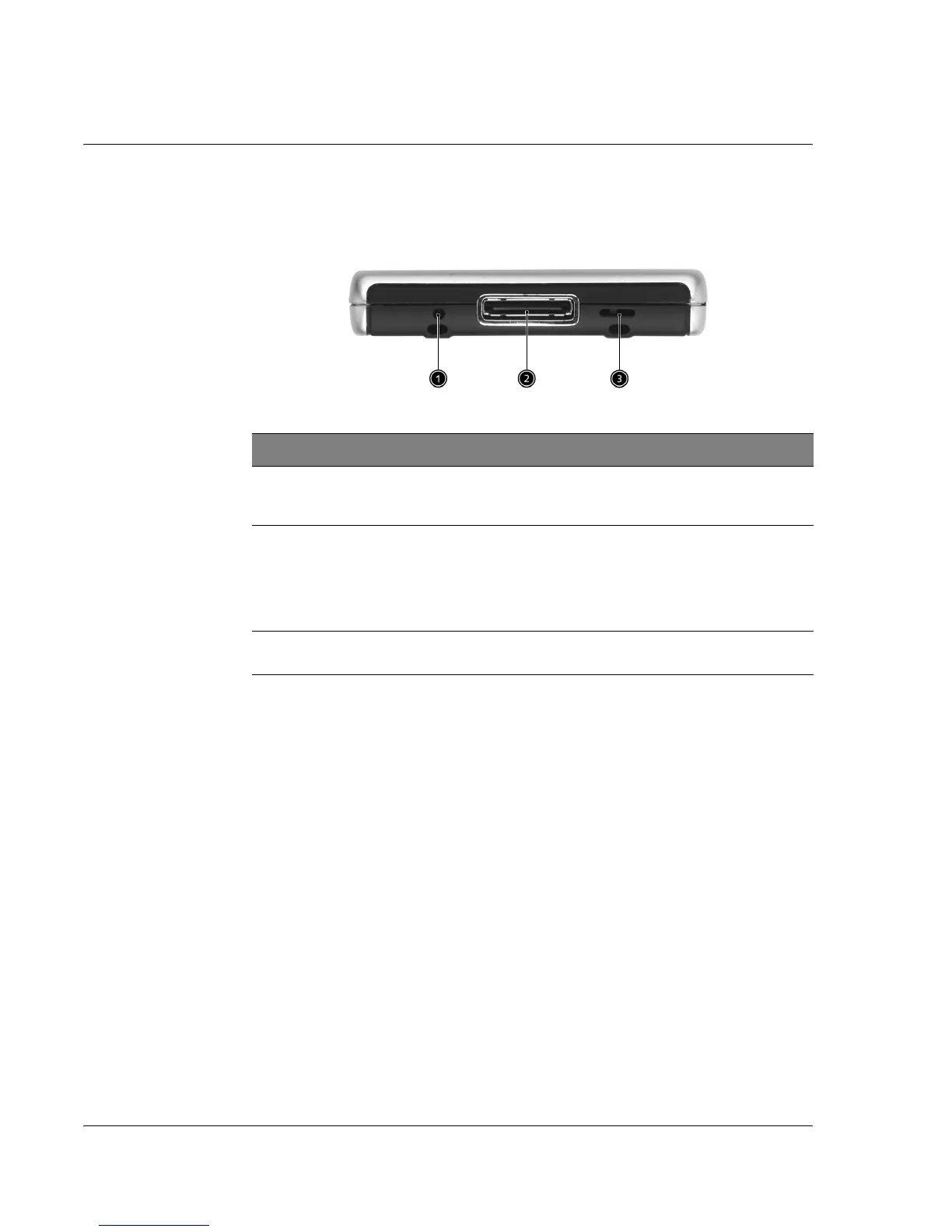
Bottom view
Preparing to use your Acer n30
Perform the following easy installation tasks to begin using your handheld:
• Install the Microsoft
®
ActiveSync
®
software in your computer
• Connect the cable
• Charge your handheld
• Set up your handheld
• Perform the first ActiveSync operation
No. Label Description
1 Soft reset
switch
A soft reset allows your handheld to get a fresh start, similar to
rebooting a computer. All records and entries are retained after
a soft reset.
2 Proprietary
26-pin I/O
connector
Connects your handheld to a portable or desktop computer and
DC power supply to an AC wall outlet to charge the battery.
- USB Host
- USB Client
- Serial
- DC power in
3 Hard reset
switch
Toggle to return you handheld settings to the factory defaults.
See “Performing a hard reset” on page vii.


 To Next Page