4 Managing Microsoft® Pocket Outlook applications
Calendar
30
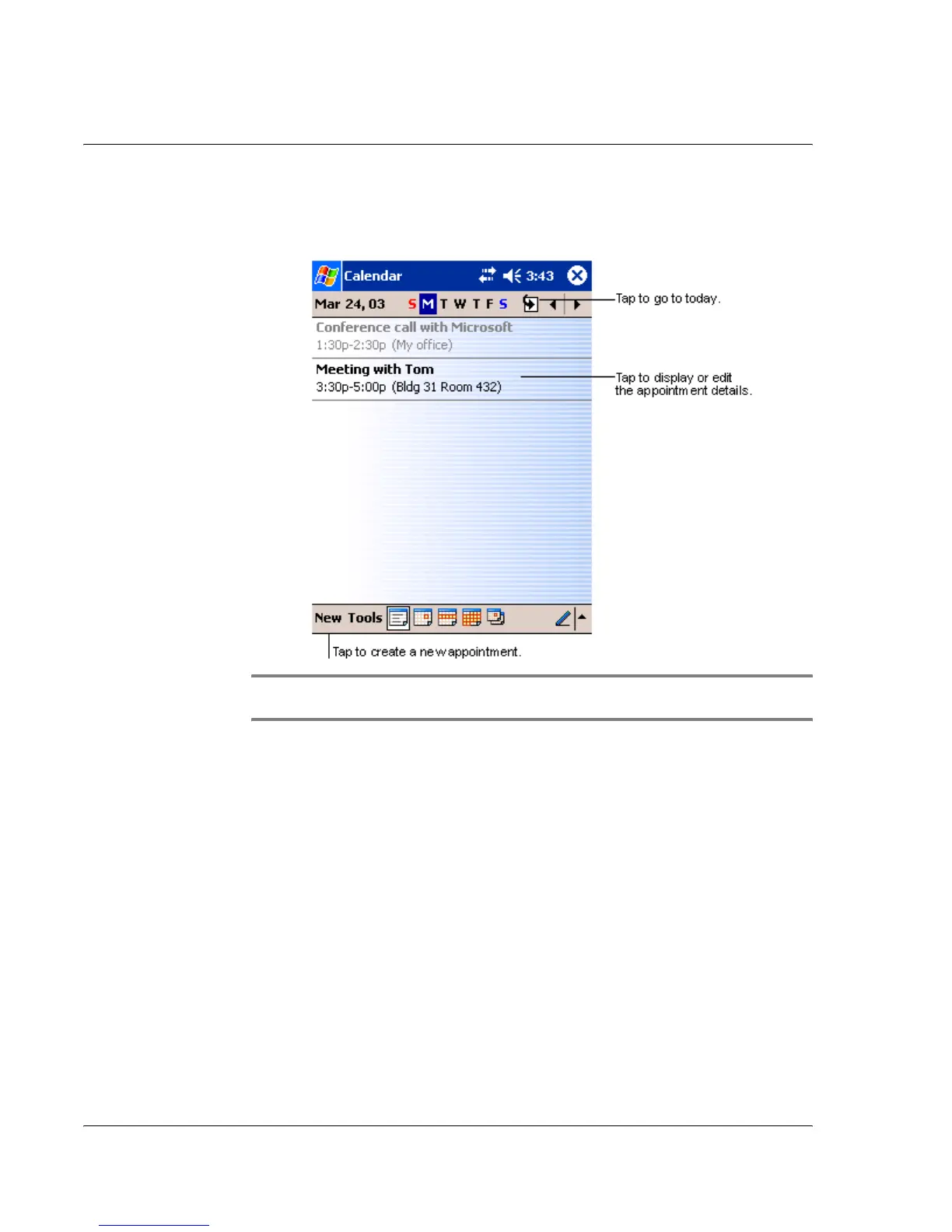
To open Calendar
• Press the Calendar Quick button on the front panel of your handheld.
Calendar will open to today’s schedule.
NOTE: You can customise the Calendar display, such as changing the first day of the week,
by tapping Options on the Tools menu.


 To Next Page