EasyManua.ls Logo

Acer P1560Bi - User Manual

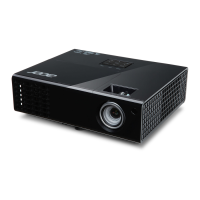
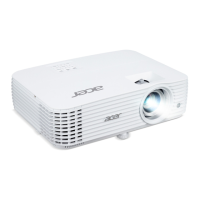
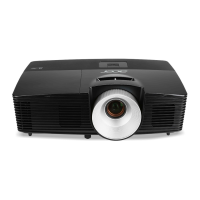
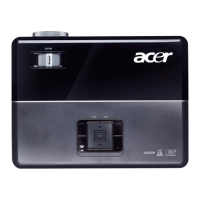
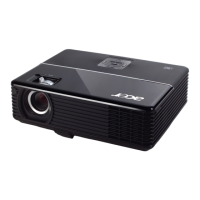
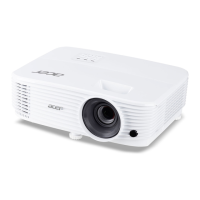
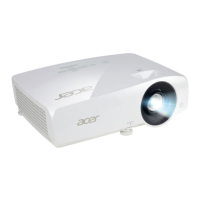
Acer P1560Bi
53 pages
Print Icon
To Next Page IconTo Next Page
Loading...
Acer Projector
P1560Bi/D751Ei/EV-F71Ki/X1525Pi/DX531Ei/
BS-531K/P1560BTi/H6535Bi/H6535BTi/
F1P1901/
P1360WBi/D721Ei/EV-W71Ki/X1325WPi/
DX431Ei/BS-331K/P1360WBTi/FWX1902/
P1260Bi/D711Ei/EV-X71Ki/X1225Pi/
DX231Ei/BS-131K/P1260BTi/FNX1903/
P1160Bi/D701Ei/EV-S71Ki/X1125Pi/DX131Ei/
BS-031K/P1160BTi/FSV1904
User's Guide

Questions and Answers

  • V
    vtownsendAug 8, 2025
    What to do if Acer P1560Bi remote control not working?
    • T
      Tyler WilsonAug 8, 2025
      If your remote control isn't working, first ensure that nothing is obstructing the remote control receiver located on the front of the projector. Then, make sure you are using the remote within its effective range. Aim the remote control directly at the screen or the front of the projector. Also, try moving the remote control so it is more directly in front of or behind the projector, rather than off to the side.
  • A
    aschmidtAug 21, 2025
    How to fix Acer Projector start-up problems?
    • J
      James RichardsonAug 21, 2025
      First, make sure that the power cord is securely connected to both the projector and a functioning power outlet. If that doesn't work, try pressing the power button again. As another solution, unplug the power cord, wait a short period, then plug it back in and press the power button once more.

Summary

Information for your safety and comfort

Using electrical power

Instructions on safe usage of electrical power and grounding.

Additional safety information

Important safety precautions to protect users and the projector.

First things first

Introduction

Product Features

Overview of the projector's key technologies and capabilities.

Appendices

Troubleshooting

Guidance for resolving common projector issues and problems.

Replacing the Lamp

Step-by-step instructions for safely replacing the projector lamp.

Specifications

Technical details and performance metrics of the projector.

Control Panel

Remote Control Layout

Getting Started

Connecting the Projector

Instructions and diagrams for connecting various devices to the projector.

Turning the Projector On;Off

Turning the projector off

Adjusting the Projected Image

How to optimize image size and distance

How to get a preferred image size by adjusting distance and zoom

User Controls

Color

Image

Source

Setting

Management

Network Settings

Acer LAN webpage management

System Status

Change Password

Projector Control Panel

Network Setting

LED & Alarm Definition Listing

Replacing the Lamp

Ceiling Mount Installation

Compatibility modes

Acer P1560Bi Specifications

General IconGeneral
Display TypeDLP
Zoom Ratio1.1x
Brightness4000 lumens
Resolution1920 x 1080
Lamp Life5000 hours (Normal), 10000 hours (Eco)
Keystone CorrectionVertical: ±40°
Input ConnectorsHDMI, VGA, Composite Video
Aspect Ratio16:9
Projection Size30 - 300 inches

Related product manuals