This document is a User Guide for the Acer LCD monitor PM1 Series-PM161Q. It provides essential information for setting up, using, and maintaining the monitor, along with important safety instructions and technical specifications.
Function Description:
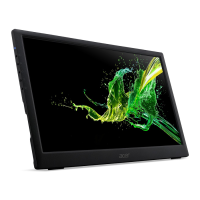
The Acer PM1 Series-PM161Q is a portable LCD monitor designed for use with computers and smartphones. It serves as an external display, extending or mirroring the screen of a connected device. Its compact and lightweight design, coupled with its ability to be powered by a single USB-C cable (when connected to a compatible device), makes it ideal for on-the-go productivity or entertainment. The monitor supports signal transmission via Thunderbolt 3 (USB-C) and can be connected to a computer's display card or a smartphone's Type-C output jack. For some underpowered phones, an external power supply via the monitor's micro USB port may be required.
Important Technical Specifications:
- LCD Panel:
- Driving system: TFT Color LCD
- Size: 15.6"W (40cm)
- Pixel pitch: 0.17925 (H) x 0.17925(V) mm
- Brightness (cd/m²): 220 (Typ)
- Contrast: 100,000,000:1 Max (ACM)
- Viewable angle: CR=10, 170° (H), 170° (V)
- Response time: 7ms (G to G)
- Panel Type: IPS (In-Plane Switching) Panel
- Video: eDP interface
- H-Frequency: 30KHz-70KHz
- V-Frequency: 58Hz-62Hz
- Display Colors: 262K (6bit)
- Dot Clock: 148.5MHz
- Max. Resolution: 1920 x 1080@60Hz
- Plug & Play: VESA DDCCI/DDC2B
- Power consumption (at 200 nits):
- On Mode: 10W (typical)
- Sleep Mode: 0.5W (typical)
- Off Mode: 0.5W (typical)
- Input Connector: Type-C
- Input Video Signal: Type-C
- Maximum Screen Size:
- Horizontal: 344.16 mm
- Vertical: 193.59 mm
- Power Source:
- Model: ADS-12DA-05 05010EPC
- Input: 100-240V~50/60Hz Max.0.3A
- Output: 5V⎓2A
- Environmental Considerations:
- Operating Temp: 0° to 40°C
- Storage Temp: -20° to 60°C
- Operating Humidity: 20% to 80%
- Dimensions (WxHxD): 37.7x23.47x2.0mm
- Weight (N.W.): 0.97kg (net)
- Mechanism specifications:
- Tilt: 15° to +35°
- Swivel: No
- Height adjustment: No
- Pivot: No
- Detachable foot stand: No
Usage Features:
- Package Contents: The monitor comes with a power cord, micro-USB cable, Type-C cable, a cover, and a quick start guide.
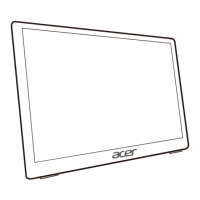
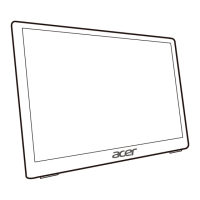
- Stand: The monitor includes a rear bracket that can be opened or closed to adjust the viewing angle, functioning as a stand. The foot stand is detachable.
- Connectivity:
- To Computer: Connects via a Thunderbolt 3 (USB-C) cable to the computer's Type-C output jack. A single cable handles both signal transmission and power for compatible computers.
- To Phone: Connects via a Type-C cable to the phone's Type-C output jack. Some phones may require additional power via the monitor's micro USB port.
- External Controls: The monitor features a set of external controls for power, OSD (On-Screen Display) functions, and picture adjustments.
- LED Indicator/Power button (1 & 2): Turns the monitor on/off. Blue indicates power on, amber indicates standby/power saving mode.
- OSD functions/Exit button (3): Press to view the OSD. When the OSD menu is active, this button acts as the exit key.
- Picture Mode button (3): Press to adjust the picture mode.
- Up/Right button (4): Press to select the desired item in the OSD menu.
- Down/Left button (5): Press to select the desired item in the OSD menu.
- Confirm button (6): When the OSD menu is displayed, press this button to confirm the OSD selection.
- OSD Menu Functions: The OSD allows users to adjust various settings including:
- Brightness, Contrast, Sharpness, Over Drive
- Color modes (Cool, Normal, Warm, User Define)
- Picture Mode
- Language
- OSD H.position, OSD V. Position, OSD Background, OSD Time Out
- Information, Memory Recall
Maintenance Features:
- Cleaning the LCD monitor screen:
- Turn off the monitor and unplug the power cord.
- Spray a non-solvent cleaning solution onto a rag and gently clean the screen.
- Storage: Store the LCD monitor in a room with a temperature range of -20° to 60°C (-4° to 140°F) to prevent permanent damage.
- Safety Precautions:
- Avoid placing the monitor near a window to prevent damage from rain, moisture, or sunlight.
- Do not apply excessive pressure to the LCD screen.
- Do not attempt to service the unit yourself; servicing should be performed by an authorized technician.
- Immediately unplug the monitor and contact an authorized technician if the signal cable is damaged, liquid spills occur, or the monitor/case is damaged.
- Disposal: The product is marked with a symbol indicating it should not be disposed of with household waste. Users are responsible for handing it over to a designated collection point for the recycling of waste electrical and electronic equipment, ensuring proper disposal and environmental protection.

 Need help?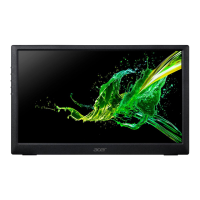

 To Next Page
 General