3-1 Adjusting the Monitor
Adjusting the Monitor
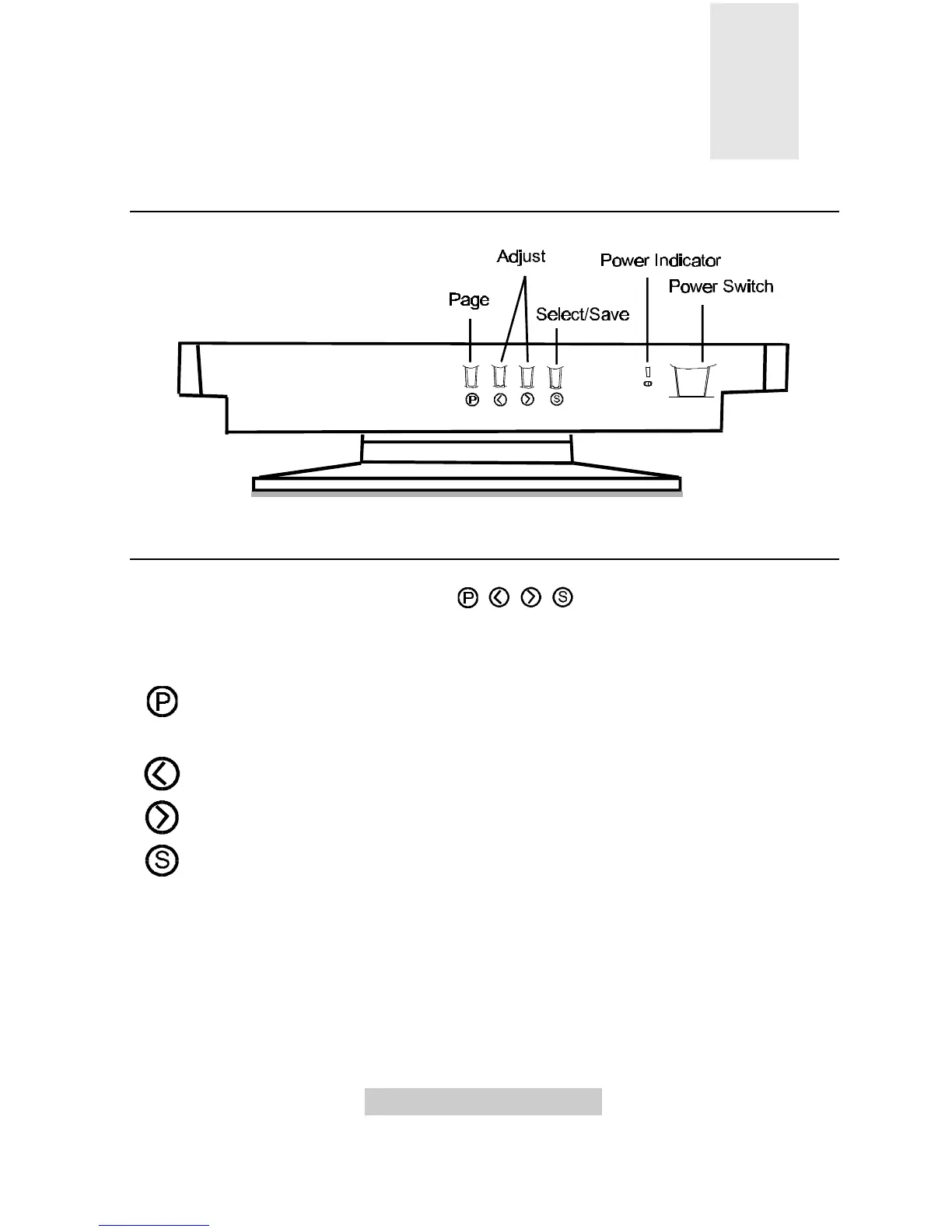
A Look at the Control Panel
Adjusting the Monitor
You can adjust the monitor with the On-Screen Display (OSD) menus. Press the
following four keys on the control panel , , , to make necessary settings.
Panel key introduction:
Page switches between function control pages. Three pages, each
containing its functions controls, are available: display control, degaussing
and color weighting, user mode display.
Left/Low adjusts the setting to left or to a lower value.
Right/High adjusts the setting to right or to a higher value.
Select/Save lets you select or save a setting.



 To Next Page