3-3 Adjusting the Monitor
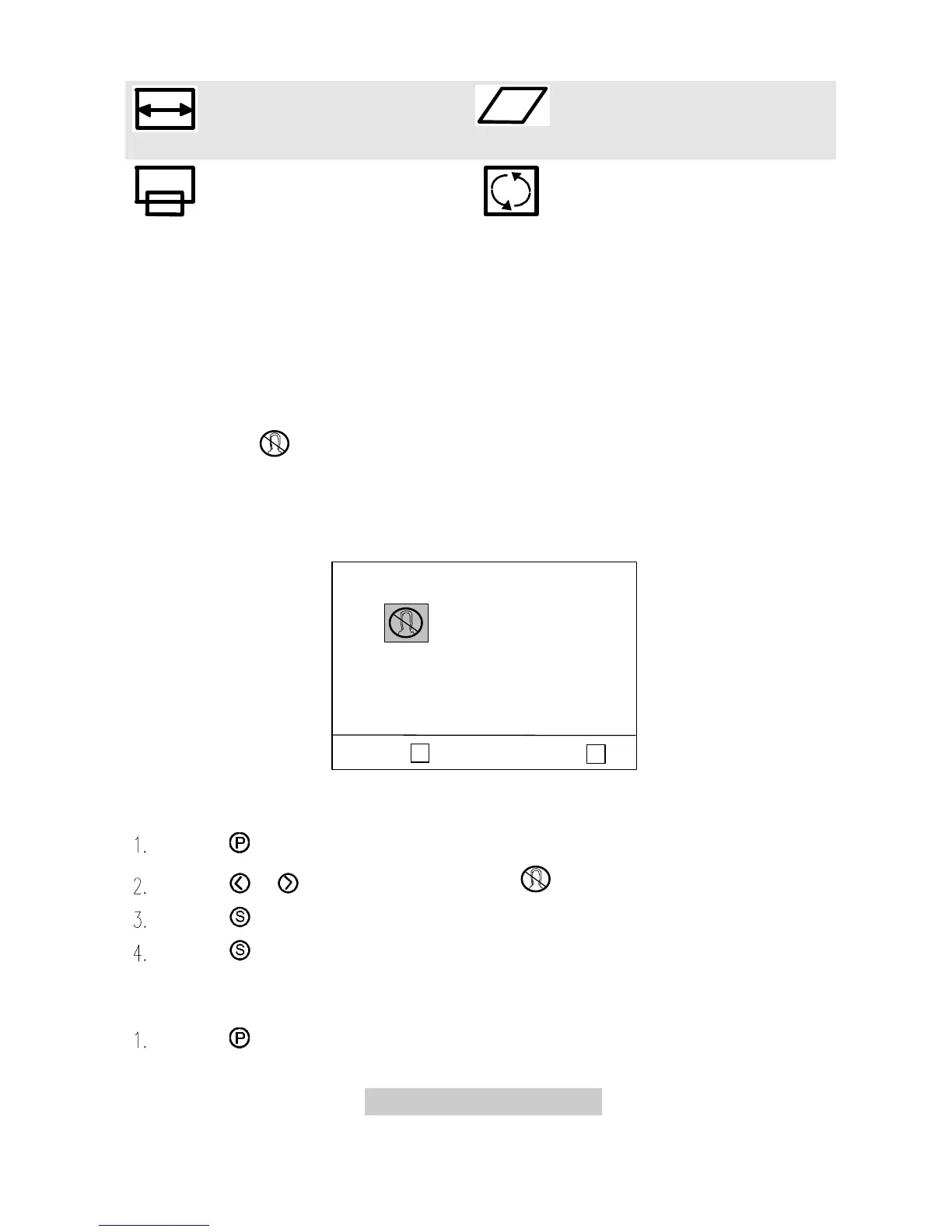
H. Size adjusts the display
width.
Parallelogram corrects image
distortions.
V. Position adjusts the
vertical position of the display.
Tilt (Rotation) corrects the
slanted screen.
F In the event that the display is distorted due to magnetic field
interference, turn off the monitor for 15 minutes. Then power on.
Page 2 Degaussing and Color Weighting
Degaussing corrects display distortion or discoloration caused by magnetic
field interference. Color weighting allows you to set five default factory color
settings (C1 to C5). You can adjust the settings manually by entering any default
factory color setting.
P
Select :
s
< P3 > :
< P2 >
C1
C4
C2
C5
C3
Degauss
To degauss:
Press to locate the page.
Press or to locate the function icon .
Press to select the function and degauss.
Press to save the status.
To adjust color weight:
Press to locate the page.



 To Next Page