EasyManua.ls Logo

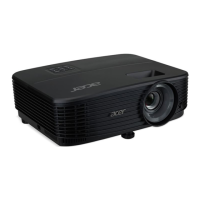
Acer X1129HP - User Manual

Acer X1129HP
60 pages
Print Icon
To Next Page IconTo Next Page
Loading...
Acer DLP Projector
X1129HP/MS520/Q58S/ES560/
EV-S81H/BS-021/DX121P/
KS331/ASV1904/X1229HP/
MX520/Q58X/EX560/EV-X81H/
BS-121/DX221P/KX331/
ANX1903/X1329WHP/
MW520/Q58W/EW560/EV-
W81H/BS-321/DX421P/
KW331/AWX1902/P1157i/
M308i/PE-S48i/PR123i/MF-
021i/ASV2105/P1257i/M318i/
PE-X48i/PR223i/MF-121i/
ANX2106/P1357Wi/M328i/PE-
W48i/PR323i/MF-221i/
AWX2107
Series User's Guide
Copyright © 2021. Acer Incorporated.
All Rights Reserved.
Acer Projector User's Guide
Original Issue: 08/2021

Questions and Answers

  • C
    crystalbanksSep 23, 2025
    What happens when the Acer X1129HP Projector lamp burns out?
    • M
      Mark SmithSep 23, 2025
      When the lamp reaches the end of its useful life, it will burn out and may make a loud popping sound. If this happens, the projector will not turn on until the lamp module has been replaced. To replace the lamp, contact your local dealer or Acer service center.
  • C
    Christine HunterAug 25, 2025
    What to do if no image appears on Acer Projector?
    • G
      george32Aug 25, 2025
      If no image appears on the screen when using the Acer projector: * Ensure all cables are correctly connected as described in the 'Getting Started' section. * Check that none of the connector pins are bent or broken. * Verify that the projector is switched on.
  • J
    James BrownAug 25, 2025
    Why is my notebook computer screen not displaying on Acer X1129HP?
    • L
      Lisa FrederickAug 26, 2025
      If the screen of your notebook computer is not displaying your presentation on the Acer projector: * For Microsoft® Windows® notebooks: Some PCs deactivate their screens when a second display is used. Refer to your computer's manual for reactivation instructions. * For Apple® Mac® OS notebooks: Open Display in System Preferences and turn Video Mirroring 'On.'
  • H
    Heidi WebbAug 27, 2025
    What to do if Acer X1129HP Projector image is too small or too large?
    • P
      Patricia PenaAug 27, 2025
      To adjust the image size on your Acer Projector, use the zoom lever on the top of the projector. You can also move the projector closer to or further from the screen. Alternatively, press "MENU" on the control panel or remote, go to "Image" > "Aspect Ratio", and try different settings.
  • M
    mmeyerAug 27, 2025
    Why does my Acer X1129HP Projector lamp burn out or make a popping sound?
    • L
      Lori MillsAug 27, 2025
      If the Acer projector lamp burns out or makes a popping sound, it means the lamp has reached the end of its life. The projector will not turn on until you replace the lamp module. Contact your local dealer or an Acer service center to replace the lamp.
  • E
    Emily FerrellSep 13, 2025
    How to correct vertical flickering bar on Acer Projector image?
    • J
      Jennifer HoffmanSep 13, 2025
      To correct a vertical flickering bar on your Acer Projector image, use the "Frequency" setting to make an adjustment. Also, check and reconfigure the display mode of your graphics card to ensure it is compatible with the projector.
  • M
    michellekingSep 12, 2025
    How to fix Acer X1129HP Projector image with slanted sides?
    • L
      Lauren WilliamsSep 12, 2025
      To correct an Acer Projector image with slanted sides, reposition the projector so that it is centered on the screen and below the bottom of the screen, if possible. You can also use the Keystone correction keys on the control panel or remote control until the image becomes square. Alternatively, press "MENU" to open the OSD menu and go to "Image" > "Auto Keystone" or "Image" > "Manual Keystone" to make adjustments.
  • B
    brownjesseSep 12, 2025
    How to fix unstable or flickering image on Acer X1129HP?
    • T
      Tyler ThompsonSep 12, 2025
      To fix an unstable or flickering image on your Acer Projector, use the "Tracking" setting to correct it. You can also try changing the display color setting on your computer.
  • J
    jamessusanSep 4, 2025
    Why is my Acer X1129HP Projector image stretched when playing widescreen DVD?
    • M
      Mr. Jerry BrownSep 4, 2025
      If the Acer projector image is stretched when displaying a widescreen DVD title: If you are playing a 4:3 format DVD, change the format to 4:3 using the projector's OSD. If the image remains stretched, adjust the aspect ratio on your DVD player to 16:9 (wide).
  • E
    Erin MitchellSep 2, 2025
    How to fix vertical flickering bar on Acer X1129HP?
    • D
      Danielle RobertsSep 2, 2025
      If the Acer projector image has a vertical flickering bar, use the 'Frequency' setting to make an adjustment. Also, check and reconfigure the display mode of your graphics card to ensure it is compatible with the projector.

Acer X1129HP Specifications

General IconGeneral
BrandAcer
ModelX1129HP
CategoryProjector
LanguageEnglish

Related product manuals