EasyManua.ls Logo

Acer X173 - User Manual

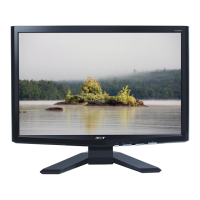
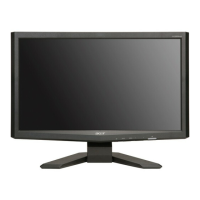
Acer X173
49 pages
Print Icon
To Next Page IconTo Next Page
Loading...
1
Acer X173
Service Guide

Questions and Answers

  • J
    jonathankempAug 11, 2025
    How to fix Acer X173 Monitor when it has no power?
    • P
      Pamela AndersonAug 12, 2025
      If your Acer Monitor has no power, try the following: * Press the power key and check the LCD Interface (CN601). * Reinsert the AC cable, ensuring it's properly connected and that the power supply is within the normal range of 100-240V. * Reinsert the power cable or inspect the power section. * Measure U201 Pin 3 for 5V and U201 Pin 2 for 3.3V. * Measure CN201 Pin3 to see if it is 5V. * Check if X401 oscillate waveforms are normal. * Replace U201, X401, U401 (if the picture is normal), or U501.
  • C
    Charles SavageAug 17, 2025
    What to do if my Acer X173 Monitor has no picture?
    • O
      owernerAug 17, 2025
      If your Acer Monitor displays no picture, consider these steps: * Measure U201 PIN2 for 3.3V. * Replace U201 and X401. * Check if X401 oscillate waveforms are normal. * Verify that the sync signal from the computer is being output and that the video cable is securely connected. * Input the sync signal from the computer or try changing the cable. * Replace U401 and U501.
  • R
    Richard CruzAug 23, 2025
    Why is the OSD unstable or not working on my Acer X173 Monitor?
    • R
      Ronnie OdonnellAug 23, 2025
      To troubleshoot an unstable or non-working OSD on your Acer Monitor: * Check if the Keypad board is connected normally; if not, connect it. * Determine if the Button Switch is working correctly; if not, replace it. * Verify the Keypad board's functionality; if it's faulty, replace it. * Check the main board.
  • A
    Andrew DyerAug 29, 2025
    What to do if there is no backlight on my Acer X173 Monitor?
    • N
      Nicole JohnsonAug 29, 2025
      To resolve a 'no backlight' issue on your Acer Monitor, you can try: * Checking C802 (+) for 12V. * Changing FB801, Q805, Q808, and Q810. * Checking the ON/OFF signal and the Interface board. * Verifying IC801 pin12 has 12V. * Changing Q805, Q808, or Q810. * Checking the pin9 & 10 of IC801 for a PWM wave. * Changing Q801/Q804/Q811/Q812 and replacing IC801. * Checking the resonant wave of pin6 & pin1 for PT801 and PT802. * Checking Q802/Q803 and the output of PT801 and PT802. * Changing PT801 and PT802. * Checking the connector & lamp.
  • C
    Carrie SullivanSep 5, 2025
    How to check the panel power circuit on Acer X173?
    • S
      Scott OlsonSep 5, 2025
      To troubleshoot the panel power circuit on your Acer Monitor: * Check CN601 PIN 23 for normal operation. When the LED is green, R601 should be at a low level, responding from 0V to 5V. * Determine if PPWR is non-responsive when switching the power switch from on to off. * Try turning the monitor on and off, and replace the U401- RTD2120L. * Replace the panel.

Acer X173 Specifications

General IconGeneral
BrandAcer
ModelX173
CategoryMonitor
LanguageEnglish

Related product manuals