EN-2
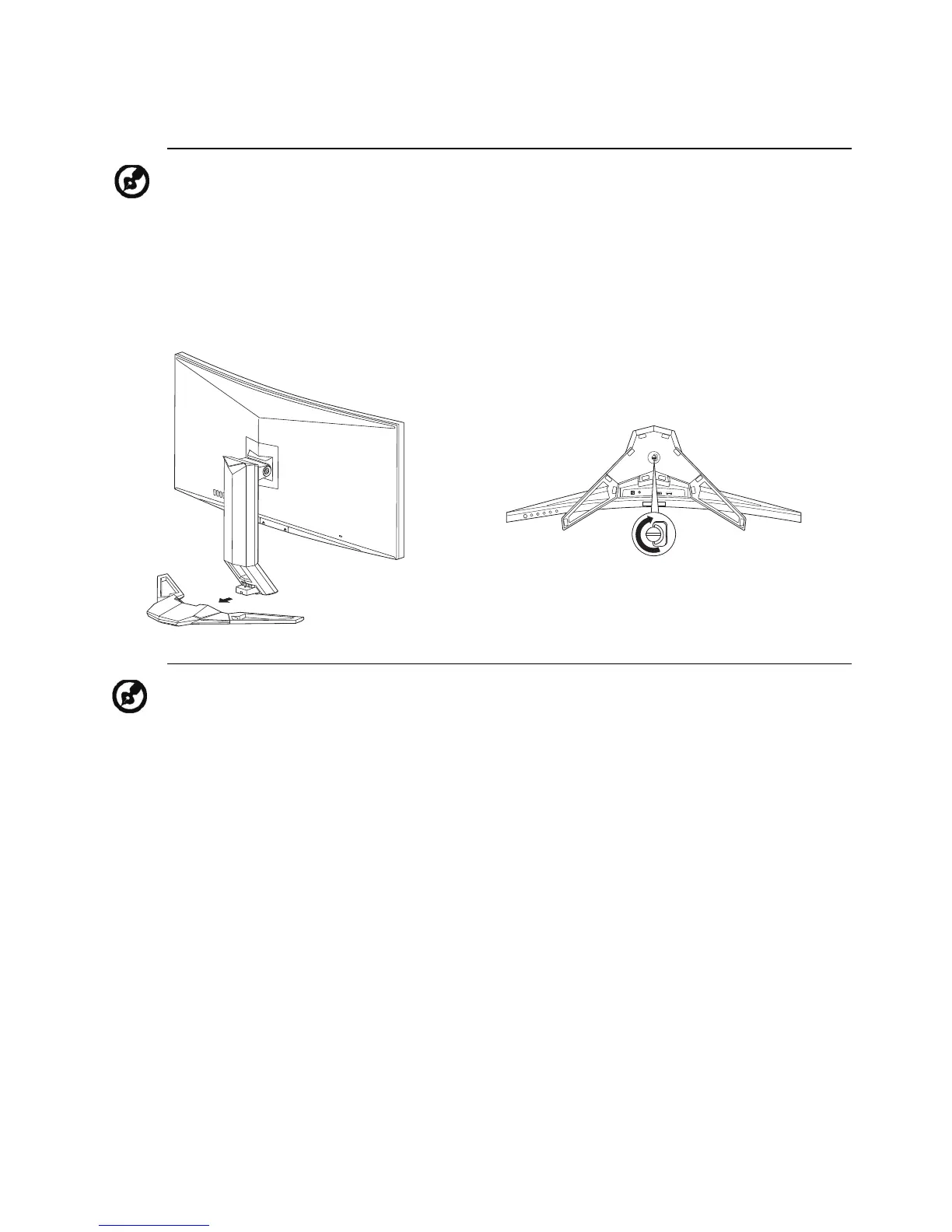
ATTACHING / REMOVING THE BASE
Note: Remove the monitor and monitor base from its packaging.
Carefully place the monitor face-down on a stable surface -- use a
cloth to avoid scratching the screen.
1.
Attach the monitor stand arm to the
base.
2.
Ensure that the base is screwed tight
onto the monitor stand arm.
Note: If installing with a wall mounting kit, it is recommended to use
M4 x 10 (L) mm screws to fix your monitor on the wall.


 To Next Page