EN-11
USER CONTROLS
Base Controls
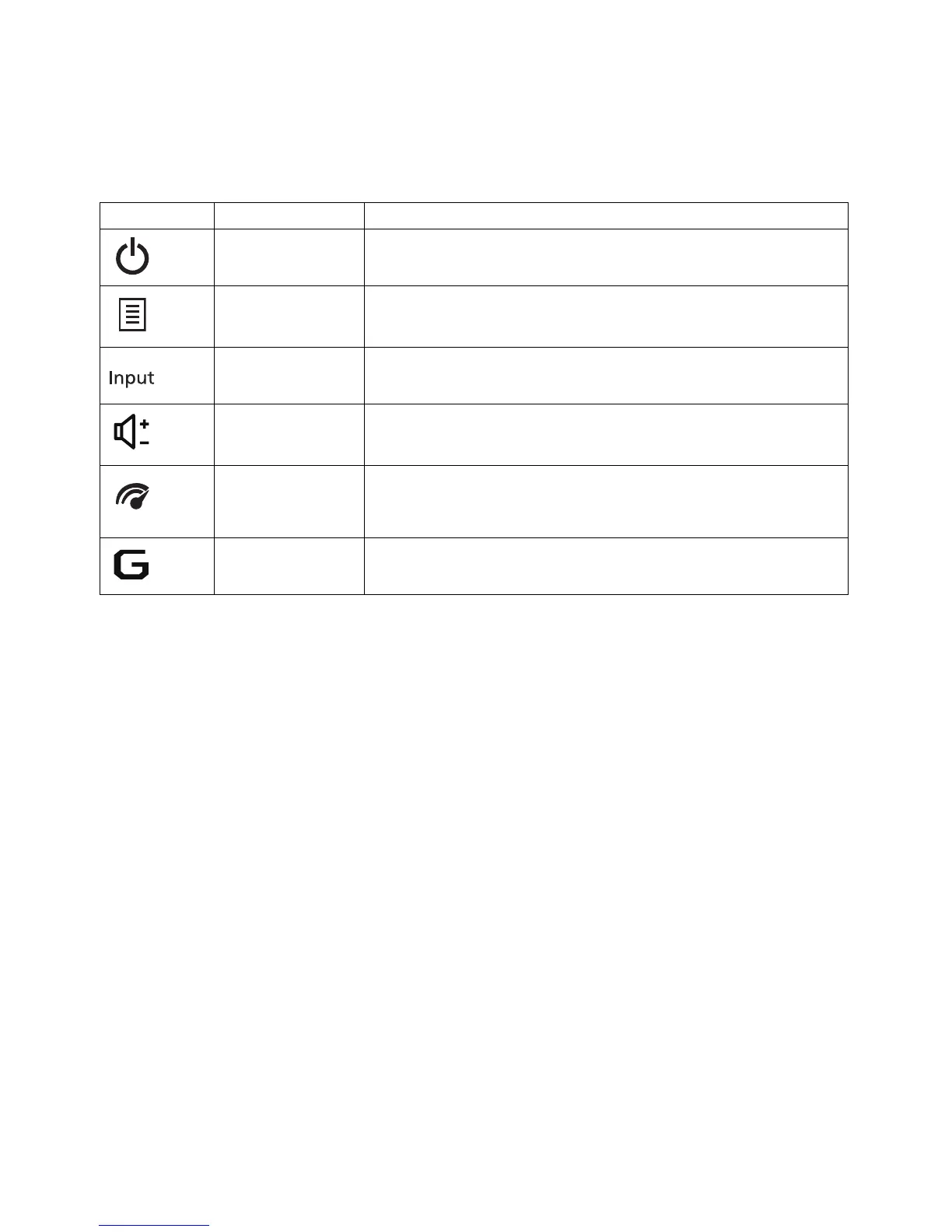
Icon Item Description
Power button/
indicator
Press to turn the monitor ON or OFF.
Lights up to indicate the power is turned ON.
OSD menu
button
Press to activate the OSD menu.
Input button
Press to toggle input sources.
Volume button
Press to activate the volume sliding scale.
OD button
Press to activate the OD menu and set it to Off,
Normal, or Extreme mode. If the OSD is active, press it
to enter a selection.
Game Mode
button
Press to activate the Game Mode menu.


 To Next Page