EN-16
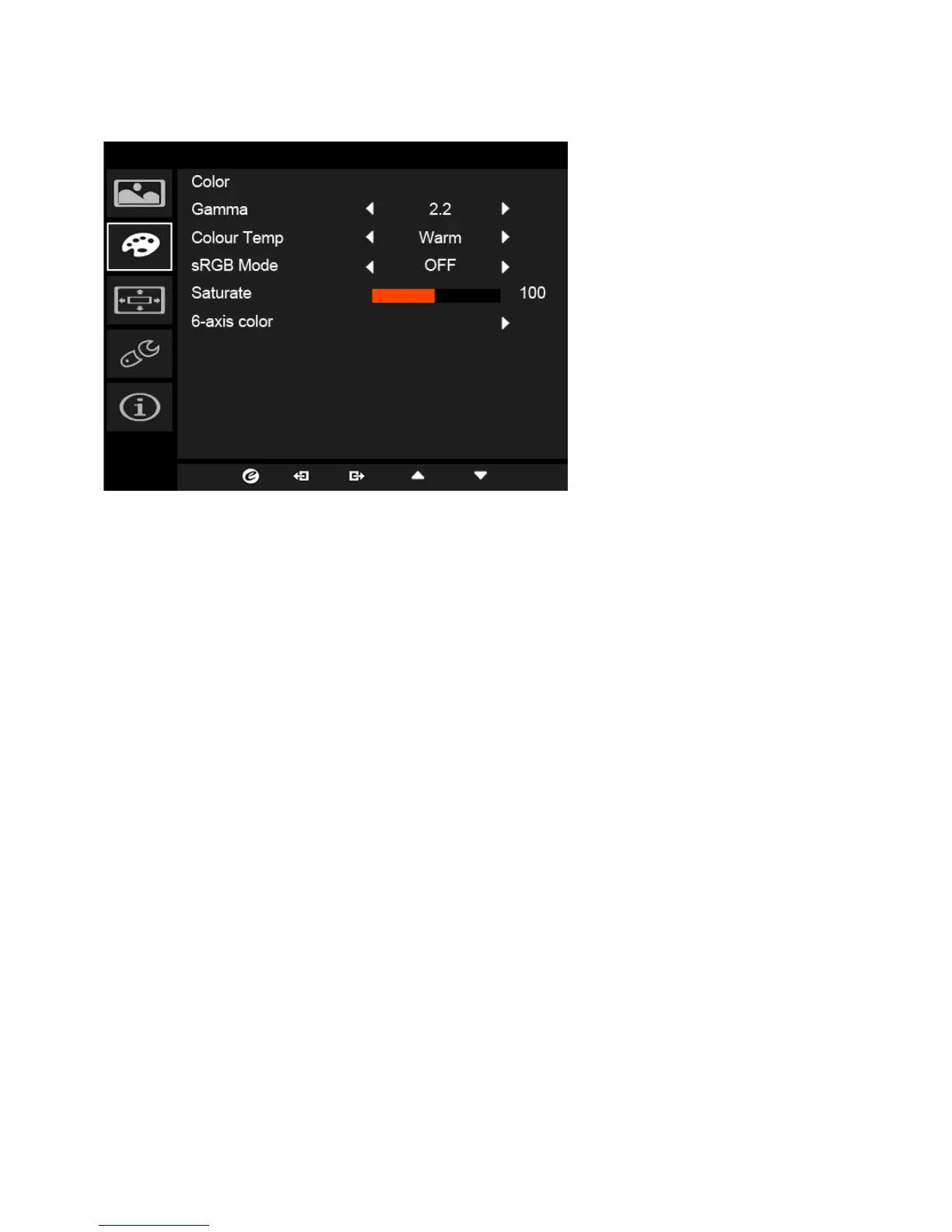
Adjusting the Color
1. Press the MENU key to open the OSD.
2. Using the
/ keys, select Color from the OSD. Then navigate to the
picture element you wish to adjust.
3. Use the / keys to select setting.
4. Gamma mode allows you to adjust the luminance tone. The default value
is 2.2 (standard value for Windows).
5. Color temperature: Default is warm. You can choose Cool, Warm,
Bluelight or User.
6. Saturate: Color brightness can be changed by 0~200 adjustment.
7. 6-axis color: Chroma of red, green, blue, cyan, yellow, and magenta can
be independently adjusted from 0~100, changing the color quality of the
image.



 To Next Page