EN-18
Adjusting the Setting
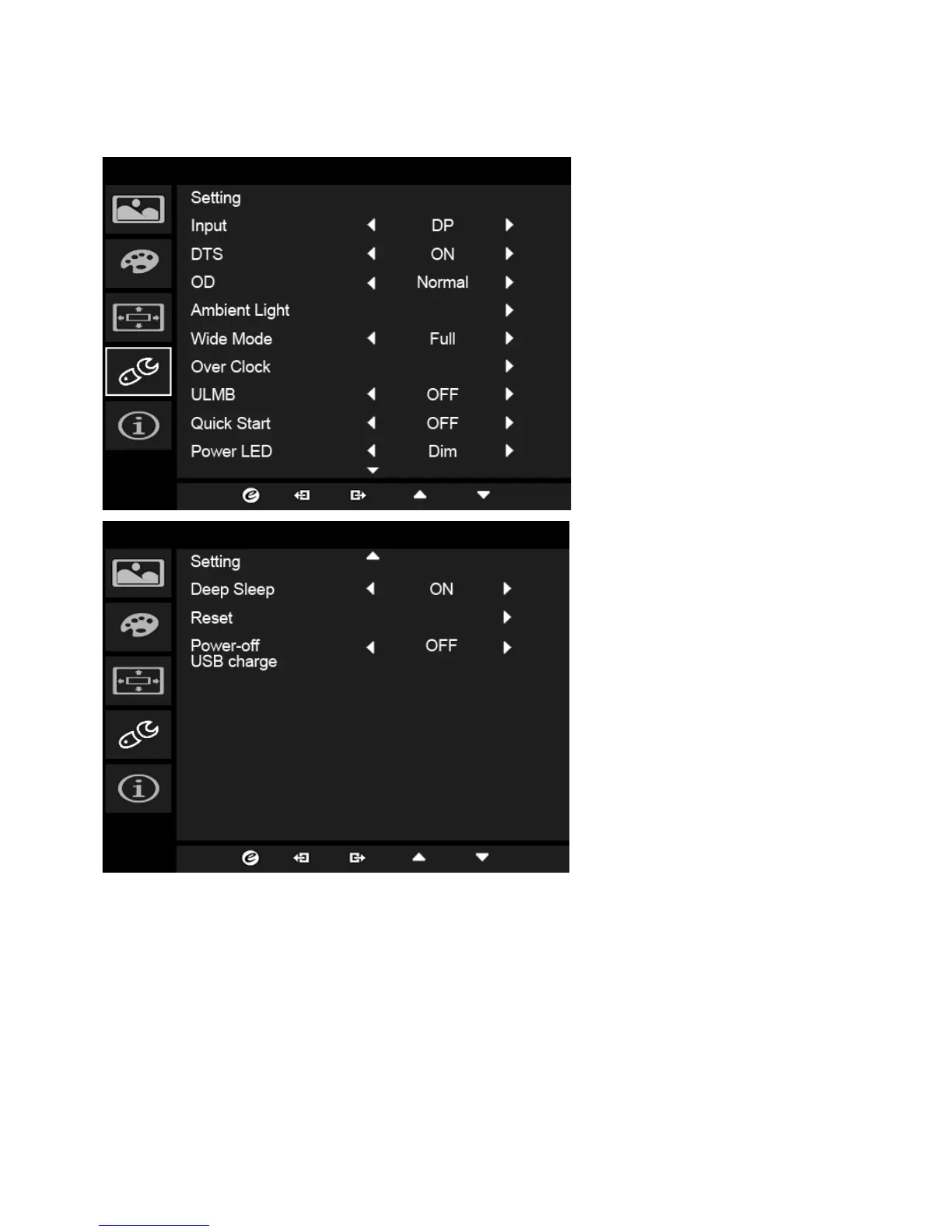
1. The Setting menu can be used to select the screen menu language and
other important settings, including input and OD level.
2. Press the MENU key to open the OSD.
3. Using the
/ keys, select Setting from the OSD. Then navigate to the
setting you wish to adjust.
4. Use the / keys to select the setting.
5. Input: Select the source from DP In or HDMI.
6. DTS (selective models): Turn DTS Sound On or Off. DTS
sound is stratified
and creates a remarkable sonic flow.



 To Next Page