-5-
Web configuration
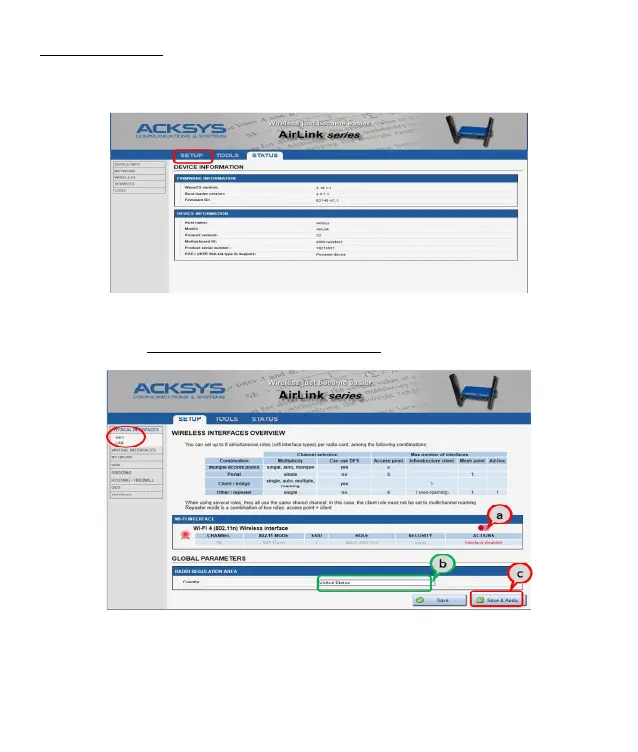
The default page (STATUS tab) displays the device status
Now select the “SETUP” tab.
You will be asked for a username and password. You must choose the root
user. No password is required by default.
you get now access to the setup pages.
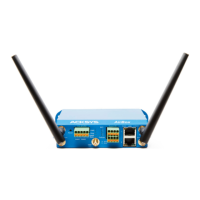
In the “wireless interfaces overview” section, you must:
a. Enable the Wi-Fi radio interface to set up its Wi-Fi parameters (alternatively
you can navigate to change network and services configuration).
b. Select your country in order to enforce applicable regulation rules
c. Click on Save & Apply to validate


 To Next Page